Your teams are moving too slowly. If your product managers and marketing leads have to file an IT ticket just to see last week’s performance data, you are actively losing money. Waiting days or weeks for a response from the data team stifles decision-making and slows execution to a crawl.
This is a massive resource drain. Your data scientists, who should be building revenue-generating models, are instead trapped acting as human APIs, running the same reports over and over.
Data democratization solves this bottleneck by giving your entire organization direct, secure access to data. This reduces delays, improves decision-making, and accelerates execution. However, simply investing in one of the best data democratization tools without a clear strategy can quickly lead to chaos, inaccurate reporting, and serious compliance risks. Choosing a basic subscription when your organization requires complex permissions may also create fragmented workflows and compromise data integrity.
To succeed, you need a platform that gives non-technical users the ability to ask questions in plain language while ensuring the underlying data and logic are secure and consistent. Choosing the right tool, therefore, becomes a mandatory step for any enterprise that wants to stay competitive.
In this guide, you will learn:
- What does data democratization mean in modern enterprises
- Why data democratization tools are essential for enterprise growth
- When organizations should invest in data democratization tools
- How to select the right platform based on your organization’s maturity and data needs
- The 9 best data democratization tools enterprises are adopting in 2026
What Data Democratization Really Means in Modern Enterprises
Data democratization refers to making data accessible across an organization, regardless of employees’ technical expertise. Instead of relying solely on data specialists, teams across departments can access and use data to make informed decisions. The goal is to eliminate traditional silos where only IT or analytics teams control information, creating a culture where data-driven insights become part of everyday workflows.
Unlike basic reporting tools, data democratization tools are designed to:
- Reduce dependency on data teams for routine questions
- Enforce role-based access and standardized definitions
- Scale self-service analytics across the enterprise
By simplifying access to trusted information, these platforms allow employees to explore insights without needing advanced coding or database knowledge. As a result, teams across functions from marketing to operations can make faster, more informed decisions while improving collaboration and business performance.
Key Features of Leading Data Democratization Tools
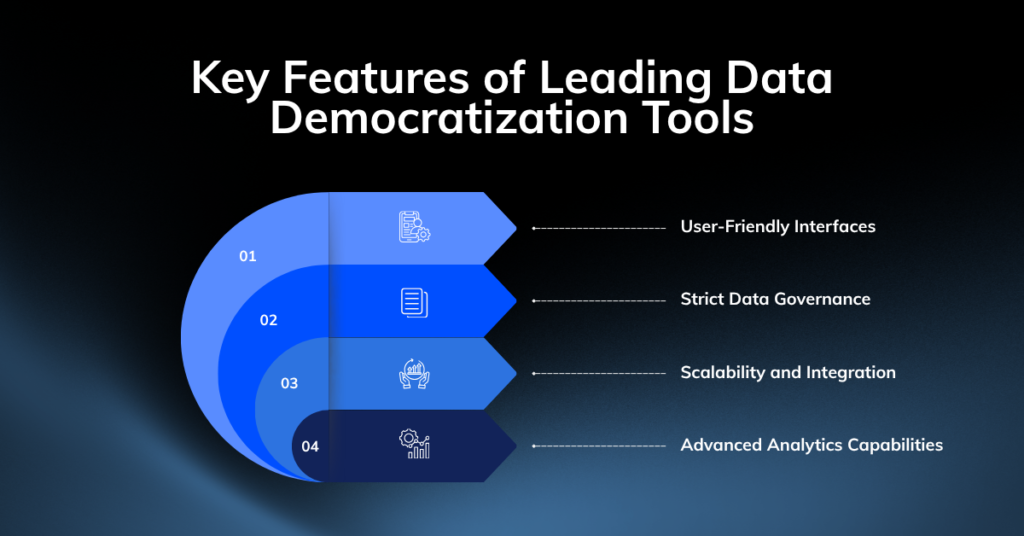
Before you evaluate specific data democratization tools, you need to understand what separates a functional enterprise platform from a basic charting tool.
User-Friendly Interfaces
If a platform requires your marketing team to learn SQL before they can build a dashboard, adoption will fail. Modern tools must provide intuitive, search-based, or AI-driven natural language interfaces. Users should be able to ask business questions directly and receive immediate, accurate visual answers.
Strict Data Governance
Opening access to your data always leads to chaos if you lack proper controls. Verifiable semantic layers, role-based access control (RBAC), and detailed audit logs are non-negotiable. You must ensure that when two different departments pull a report on “monthly active users,” they are working from the exact same mathematical definition.
Scalability and Integration
Your data environment is going to grow. The tool you select must connect natively to your existing cloud data warehouses like Snowflake, BigQuery, or Redshift, without forcing you to duplicate or move massive datasets. It must handle thousands of concurrent queries without buckling.
Advanced Analytics Capabilities
Basic bar charts are no longer enough. The top platforms incorporate machine learning and AI agents to automatically surface anomalies, forecast trends, and provide proactive insights before a user even knows what question to ask.
Top 9 Data Democratization Tools Beneficial for Your Modern Enterprises
Here are the nine platforms leading the charge in enterprise data access, based on their capabilities, integration strength, and governance models.
1. Querio
Querio operates as an AI-driven analytics layer that sits directly on top of your existing data warehouse. Instead of relying on a human data team for every query, this tool uses explicit-code AI agents backed by readable Python and SQL stored in Git-backed notebooks.
- Features: Reactive Python notebooks, AI coding agents for natural language queries, embeddable analytics via iFrame or API, and enterprise-grade role-based access control.
- Pros: Highly transparent because every AI answer is backed by verifiable code. Drastically reduces the workload on human analysts.
- Cons: Setup requires initial involvement from your data team to build the foundational context. Pricing is hidden behind sales demos.
- Best for: Mid-market companies looking to scale self-serve analytics without expanding their data headcount, and SaaS companies needing embedded customer-facing dashboards.
This approach ensures speed without sacrificing accountability.
2. Tableau
Tableau remains a heavyweight in visual analytics. It balances deep analytical power for data engineering experts with accessible dashboards for business users, offering advanced calculations and visual storytelling features.
- Features: Drag-and-drop visual authoring, role-based licensing (Creator, Explorer, Viewer), and new AI features like Tableau Pulse for automated insights.
- Pros: Deep visual capabilities, a massive community, and proven scalability for tens of thousands of users.
- Cons: Licensing costs can spiral quickly at scale. Defining the semantic layer often requires significant outside effort.
- Best for: Large organizations with established data teams that require complex compliance tracking and highly customized visual reporting.
Tableau excels at helping non‑technical users visually explore data and uncover patterns through interaction.
3. Microsoft Power BI
Power BI is a cornerstone of the Microsoft ecosystem, known for its cost-effective licensing and deep integration with Office 365 and Microsoft Fabric.
- Features: DAX and Power Query modeling, row-level security, and native sharing through Microsoft Teams and SharePoint.
- Pros: Exceptional price-to-value ratio for broad viewer rollouts. The familiar interface speeds up adoption for teams already using Microsoft products.
- Cons: The learning curve for advanced data modeling is steep for non-technical users. Fabric licensing migrations can complicate budget planning.
- Best for: Enterprises heavily invested in Microsoft 365 and Azure that need to distribute reports to thousands of employees cost-effectively.
Power BI’s strength lies in embedding analytics directly into everyday workflows, making insights feel less like reports and more like part of work itself.
4. Google Cloud Looker
Looker is a governed, model-driven platform built around its proprietary semantic layer, LookML. It forces organizations to define business logic centrally before anyone builds a chart.
- Features: LookML semantic layer, multi-cloud support, conversational analytics, and highly mature APIs for embedding.
- Pros: Provides an undisputed single source of truth. Governance is absolute, making it incredibly secure for complex enterprises.
- Cons: The developer-centric modeling requires dedicated analytics engineers. Quote-based pricing often results in a high total cost of ownership.
- Best for: Mid-size to large companies that must embed analytics into their own products and prioritise governance.
Looker approaches data democratization from a modelling‑first perspective. Instead of letting every user create their own definitions, metrics are standardised centrally.
5. ThoughtSpot
ThoughtSpot attacks the data access problem with a search-first interface. It functions like a consumer search engine for your enterprise data, allowing users to type questions and get instant visual answers.
- Features: Search-driven natural language queries, AI-assisted insights, and ThoughtSpot Everywhere for embedded analytics.
- Pros: Incredibly approachable for non-technical staff. Speed-to-insight is remarkably fast for ad-hoc business questions.
- Cons: It relies heavily on having a perfectly clean, well-defined data model prepared upstream. Enterprise licensing is expensive.
- Best for: Organizations that want to bypass the traditional report-request cycle entirely and give business departments genuine self-service power.
ThoughtSpot is built around the idea that anyone should be able to ask data questions like they search the web.
6. Sigma
Sigma looks and acts like a spreadsheet, but it live-queries your cloud data warehouse. It compiles familiar formulas into warehouse-native SQL, keeping your data secure and centralized.
- Features: Spreadsheet-style interface, live queries against billions of rows, and Input Tables that allow users to write data back to the warehouse.
- Pros: The spreadsheet paradigm guarantees rapid adoption. It eliminates shadow IT by keeping all work connected to the live warehouse.
- Cons: Custom visualization options are constrained compared to dedicated BI platforms. Pricing requires a direct sales engagement.
- Best for: Finance, operations, and marketing teams that refuse to give up spreadsheets but need to securely analyze massive, live datasets.
7. Metabase
Metabase champions an open-source, simplified approach to business intelligence. It provides a clean, guided question builder for business users alongside a full SQL editor for analysts.
- Features: Guided question builder, Metabot AI for natural language queries, and an open-source foundation with enterprise upgrade paths.
- Pros: Fast onboarding, extremely transparent pricing, and an open-source escape hatch that prevents vendor lock-in.
- Cons: Advanced governance features like audit logs and granular permissions are restricted to higher-priced tiers.
- Best for: Startups and agile product teams that need a fast, low-cost way to spin up internal reporting and embed dashboards into applications.
8. Qlik Cloud Analytics
Qlik relies on a unique associative analytics engine that maps relationships across all your data, allowing users to explore connections freely rather than following linear, query-based paths.
- Features: Associative exploration engine, capacity-based licensing, generative AI assistants, and automated machine learning.
- Pros: Capacity-based licensing allows for an unlimited number of basic viewers, simplifying organization-wide rollouts.
- Cons: The semantic modeling approach requires dedicated training, as it breaks away from traditional SQL-first methodologies.
- Best for: Enterprises seeking a single platform that supports highly flexible data discovery and can be deployed to a massive user base cost-effectively.
Qlik shines when organisations want users to explore “why” something happened, not just “what” happened.
9. Domo
Domo is a cloud-native platform that attempts to consolidate data integration, ETL pipelines, business intelligence, and application development into one unified system.
- Features: Hundreds of native data connectors, drag-and-drop ETL, mobile-first executive dashboards, and a low-code app studio.
- Pros: Reduces vendor sprawl by handling the entire data lifecycle. The mobile experience is highly polished for executive use.
- Cons: Consumption-based pricing can drain budgets quickly if queries are not monitored. Complex data transformations still demand engineering oversight.
- Best for: Large organizations that want to replace multiple fragmented tools with a single, mobile-friendly data platform for frontline workers and executives.
Comparing Leading Data Democratization Tools
| Tool | Primary Role in Data Democratization | Key Strengths | Best Suited For |
| Microsoft Power BI | Self‑service BI & analytics | Familiar UX, strong governance, native M365 & Azure integration, Copilot‑driven natural language analytics | Microsoft‑centric enterprises |
| Tableau | Visual self‑service analytics | Best‑in‑class visualisation, intuitive drag‑and‑drop dashboards, strong collaboration | Business teams focused on exploration & storytelling |
| Looker (Google Cloud) | Governed semantic analytics | Centralised metric definitions via LookML, real‑time querying, strong consistency across teams | Cloud‑native & data‑mature enterprises |
| ThoughtSpot | Search‑driven AI analytics | Natural‑language search, AI‑assisted insights, minimal training needed | Executives & non‑technical users |
| Qlik Sense | Associative analytics | Exploratory analysis without fixed query paths, strong self‑service capabilities | Enterprises with complex, multi‑source data |
| Querio | AI‑assisted governed analytics | Natural‑language analytics with transparent logic, version‑controlled metrics | Enterprises facing analyst bottlenecks |
| Domo | All‑in‑one analytics & data apps | End‑to‑end platform, no‑code dashboards, embedded analytics, AI agents | Business‑led enterprise teams |
| Sigma | Spreadsheet‑style self‑service analytics | Familiar spreadsheet UI on live warehouse data, strong governance, zero extracts | Cloud‑warehouse‑first enterprises |
| Metabase | Open‑source self‑service BI | Easy no‑code querying, open‑source flexibility, fast deployment | Startups & cost‑conscious teams |
When Should an Enterprise Invest in Data Democratization Tools?
An enterprise should consider investing in data democratization tools when data access becomes a bottleneck to growth, decision-making, or operational efficiency. Common signs include:
- When decision-making is delayed because teams are unable to access the data they need quickly.
- Teams rely heavily on data or IT departments.
- Data exists in silos across departments, systems, or business units
- When your enterprise is growing rapidly, and existing systems cannot support the rising volume of data.
- Non-technical teams struggle to use analytics tools effectively
The Strategic Payoff
Investing in the right data analytics platform delivers clear, measurable returns.
- Faster, Smarter Decisions. Equip your teams to act on data independently, increasing operational agility.
- Reduced Operational Costs. Consolidate redundant, fragmented tools into a single, efficient solution built for your needs.
- Unified Business Insight. Break down data silos and enable cross-functional teams to work from a single source of truth.
- Durable Competitive Edge. Accelerate your time-to-insight and consistently outmaneuver competitors.
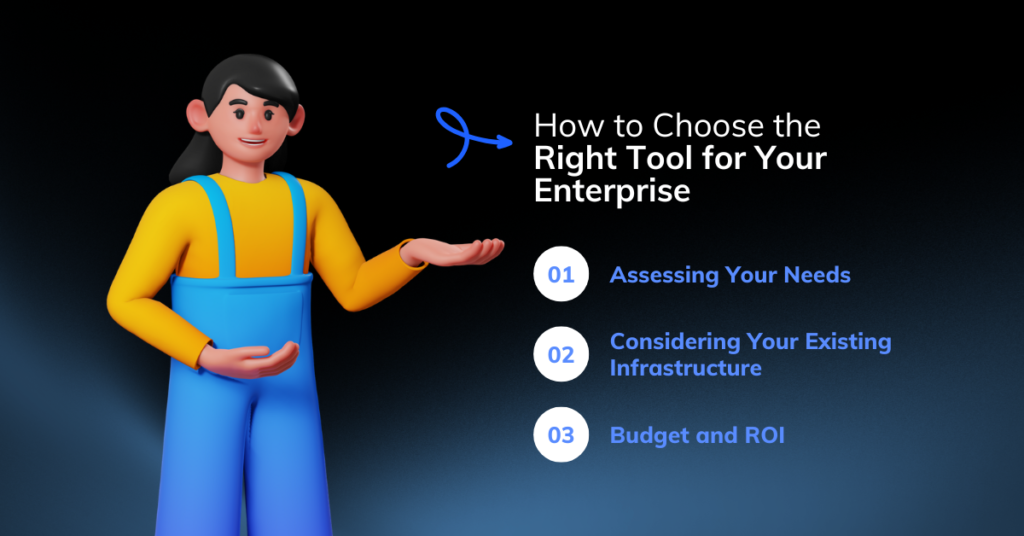
How to Choose the Right Tool for Your Enterprise
There is no universally “best” tool. The right choice for selecting the best Data Democratization Tools usually depends on:
- Your existing data stack
- Technical maturity of teams
- Governance and compliance needs
- Whether insights are internal or customer‑facing
Here’s what you need to assess to find the best fit for your enterprise:
Assessing Your Needs
Look at the technical literacy of your end users. If your finance team lives in Excel, forcing them into a complex SQL-based tool will stifle adoption. You must map the tool’s primary interface, whether that is search, spreadsheet, or visual drag-and-drop, to the daily habits of your workforce.
Considering Your Existing Infrastructure
Do not buy a tool that fights your current architecture. If you run heavily on Google Cloud, Looker is a natural fit. If your data lives in Snowflake, tools like Sigma or Querio that query directly against the warehouse will prevent you from building brittle, expensive data extraction pipelines.
Budget and ROI
A platform that costs $150,000 a year but saves your engineering team 2,000 hours of manual reporting work yields a massive positive return. Conversely, paying per-user licenses for 5,000 employees who only check a dashboard once a month is a fast track to wasted capital. Demand clear pricing models, whether capacity-based, user-based, or consumption-based, and compare them against your realistic usage projections.
Taking Control of Your Data
You have mountains of data. But turning that raw, fragmented data into actionable insight requires disciplined execution. Take these steps to build data independence.
- Calculate the cost of delay. Assess the current backlog of requests sitting with your data team and calculate the financial impact of every day, week, or month that passes without an answer.
- Test vendors on your real data. Do not run a pilot on clean, sample datasets. Force vendors to prove their platforms can handle your messiest, most complex data directly from your live warehouse.
- Empower your teams. Stop making employees wait for answers. Give them the tools to execute immediately and build a culture that rewards fast, data-informed decisions.
Start Building Business‑Ready Insights With Proven Data Democratization Tools
In 2026, the most successful enterprises are not the ones collecting the most data.
They are the ones ensuring the right people can access the right data at the right moment, without friction, confusion, or governance risk.
Data democratization tools play a critical role in this shift. They remove bottlenecks, reduce dependency on data teams, and turn data from a guarded asset into a shared source of confidence. But tools alone are not enough.
True data democratization requires:
- Clear ownership of metrics
- Strong governance that does not slow teams down
- Systems designed for how business users actually work
- And a foundation that supports AI‑driven decision‑making tomorrow, not just dashboards today
This is where many initiatives struggle. Teams invest in powerful platforms, yet adoption stalls, definitions drift, and trust erodes.

At Enlight Lab, we help enterprises move beyond tool selection. We design and implement end‑to‑end data democratization strategies that connect BI platforms, semantic layers, governance models, and AI access into a single, scalable ecosystem.
Whether you are standardising metrics across departments, enabling self‑service analytics, or preparing your data for AI agents and copilots, our focus remains the same: making data accessible, governed, and truly useful for everyday decisions.
If you are ready to turn data democratization tools into measurable business impact, we are here to help you unlock insight without losing control.