Deciding how to build your next application is one of the most critical decisions you’ll face. In the past, the only option was to hire a team of engineers, write thousands of lines of code, and wait months or even years for a finished product. But today, the landscape has changed. You have two main options when it comes to building your software products. You can use low-code or no-code tools if you want to build quickly without a lot of coding. Otherwise, you can invest in custom development to create a fully tailored solution from the ground up.
With Gartner predicting that over 70% of new enterprise applications will use low-code or no-code by 2026, businesses must rethink their development strategy.
Every new project you start likely sparks the same debate: should you go with low-code or stick with custom development? Low-code and no-code (LCNC) platforms promise incredible speed and lower upfront costs, allowing you to get to market faster.
But as your product grows, new challenges can appear.
You may start to face limits:
- Features that are hard to customize
- Slower performance
- Difficulty scaling your product
- Dependence on a single platform
On the other hand, custom software development offers unparalleled control, performance, and scalability tailored precisely to your business needs. You can scale without restrictions. But it also takes more time, careful planning, and a higher upfront investment.
However, choosing the wrong approach can lead to budget overruns, growing technical debt, and a product that fails to meet user expectations. In this guide, we break down low-code/no-code vs custom development to help you make an informed decision. Let’s explore the differences, advantages, and the key consideration points when choosing the right choices for your product.
Understanding The Basics of Low-Code/No-Code Development
Low-code and no-code platforms provide a visual approach to software development. Instead of writing a lot of code line by line, you use simple tools like:
- Drag-and-drop builders
- Visual workflows
- Pre-built templates and components
to assemble applications. So, even if you have a lack of coding skills and zero experience in coding, still can create websites, apps, and internal tools.
While “no-code” targets business users with zero programming experience, “low-code” allows developers to add custom scripts to pre-configured building blocks.
Key Benefits of Low Code and No Code
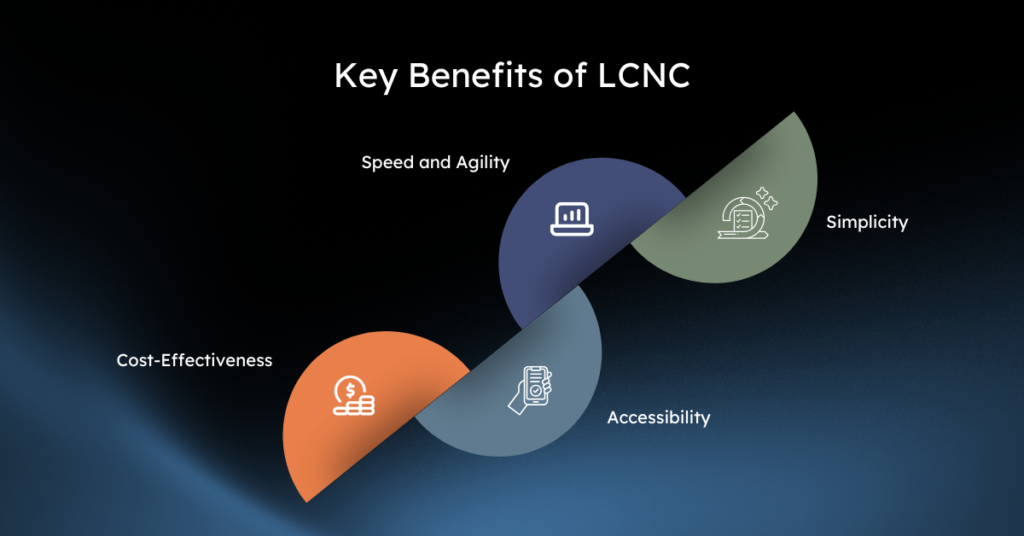
- Speed and Agility: Low-code platforms can accelerate software development by up to 10 times compared to traditional methods. Teams can launch functional applications in weeks rather than months.
- Lower Upfront Cost: Building on low code/low code platforms significantly reduces development costs. Organizations save on engineering salaries and avoid the heavy lifting of backend infrastructure setup.
- Easy to Access: These platforms enable citizen developers, meaning employees outside the IT department, to build their own solutions. This approach reduces pressure on engineering teams and helps teams resolve departmental bottlenecks more quickly.
- Simplicity: Maintenance, bug fixes, and feature updates are largely handled by the platform vendor, freeing your internal team from ongoing server management and code refactoring.
Potential Drawbacks of Low-Code and No-Code Platforms
- Limited Customization: You are fundamentally restricted to the features and templates provided by the vendor. Complex animations, highly specific user interfaces, or unique data processing algorithms often hit hard limits.
- Vendor Lock-in and Scalability Concerns: If the platform changes its pricing model or shuts down, your application is at risk. Moving an LCNC app to a different provider is usually impossible without rebuilding from scratch. Additionally, usage-based pricing models can make scaling to millions of users prohibitively expensive.
- Security and Integration Challenges: While top platforms offer strong baseline security, enterprises with strict compliance needs (like HIPAA or SOC2) often struggle to audit the underlying infrastructure. Integrating with legacy on-premises systems can also present significant hurdles.
- Performance Limitations: Because visual builders generate generic, pre-packaged code behind the scenes, these applications often lack the raw speed and optimization of hand-written software.
When Low Code/No Code Works Best
Low-code and no-code development works best for simple and early-stage projects.
- MVPs and Prototypes: Testing a new product idea in the market quickly and cheaply before committing to a massive engineering budget.
- Internal Tools and Workflows: Automating HR onboarding processes, building custom CRM dashboards, or tracking inventory.
- Simple Data Management Apps: Applications that primarily rely on basic CRUD (Create, Read, Update, Delete) operations.
Exploring Custom Development at Its Core
Custom development, often called traditional development, involves building software from scratch using languages like Python, JavaScript, or Java to match your exact business needs. It requires a dedicated team of software engineers, DevOps specialists, and QA testers like the ones at Enlight Lab to bring your unique idea to life.
Key Benefits of Custom Development
- Unlimited Customization: If you can design it, you can build it. You have total freedom over the user interface, backend architecture, and database structure.
- High Scalability and Performance: Custom software is optimized for your specific use case. Engineers can architect the system to handle massive traffic spikes and process complex data efficiently without platform-imposed bottlenecks.
- Full Ownership: You own your code and your system. There are no platform subscription fees tied to your user count, and you control the complete lifecycle of the product.
- Strong Integration Capabilities: Engineers can build bespoke APIs to connect seamlessly with any existing legacy software.
Potential Drawbacks of Custom Development
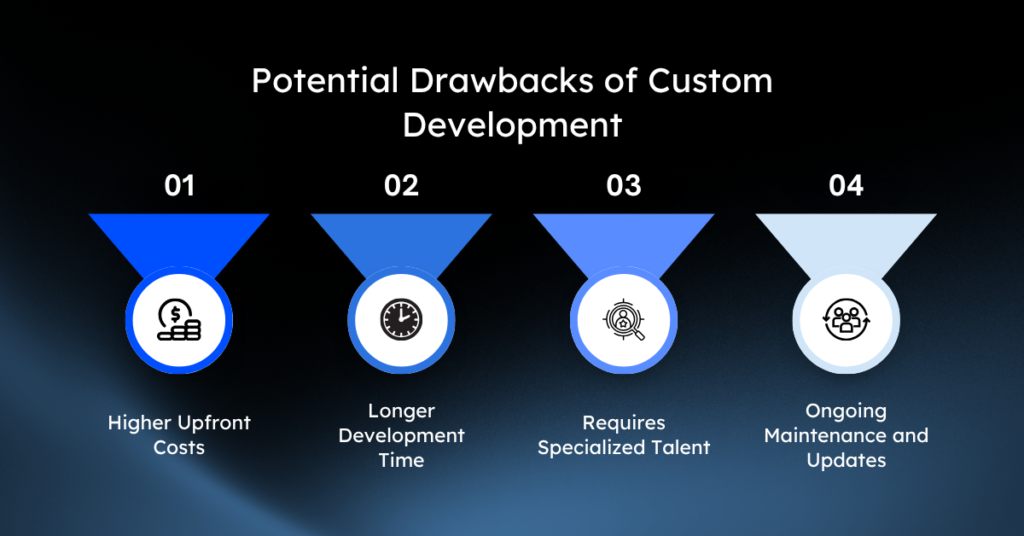
- Higher Upfront Costs: Traditional development requires a significant initial investment. A robust custom application often starts at $200,000 and can easily scale into the millions depending on complexity.
- Longer Development Time: Writing, testing, and deploying custom code takes time. A standard enterprise application can take anywhere from six to eighteen months to launch.
- Requires Specialized Talent: You need highly skilled, expensive technical talent. The global shortage of experienced software developers makes hiring and retaining top engineers a persistent challenge.
- Ongoing Maintenance and Updates: Your team is fully responsible for server upkeep, security patches, bug fixes, and managing technical debt over the software’s lifespan.
When It Works Best
Custom development is the right choice when your product needs to be powerful, scalable, and unique.
- Complex, Mission-Critical Applications: Banking platforms, healthcare portals, or massive e-commerce marketplaces where performance and security are non-negotiable.
- Unique Business Processes and IP: Software that serves as your company’s core product or competitive advantage.
- High-Performance and Large-Scale Systems: Applications expecting millions of concurrent users or processing massive data sets in real time.
If your goal is to build a long-term product that can grow without limits, custom development gives you the flexibility and control you need.
Low Code/No Code Vs Custom Development: Key Differences At a Glance
Evaluating low-code vs. custom development requires looking at how each approach impacts your operational realities.
| Criteria | Low-Code/No-Code (LCNC) | Custom Development |
|---|---|---|
| Speed of Development | Fast – Pre-built templates and drag-and-drop interfaces enable rapid development. | Slower – Requires coding from scratch, often taking weeks or months. |
| Cost | Lower upfront cost due to minimal development effort and reusable components. | Higher – Significant investment in skilled developers and infrastructure. |
| Scalability | Limited – May struggle with large-scale or high-performance requirements. | High – Built to meet specific scale and performance demands. |
| Customization | Restricted – Limited to the features and flexibility provided by the platform. | Unlimited – Fully tailored to meet business-specific needs. |
| Technical Expertise Required | Minimal – Designed for business users with little to no coding knowledge. | High – Requires skilled developers proficient in programming languages. |
| Security and Control | Moderate – Relies on the vendor’s security measures, less control over code. | High – Full control over security protocols and access to the source code. |
| Best Suited For | Simple or mid-tier applications with standard functionalities. | Mission-critical, high-performance systems or unique business processes. |
Development Cost
In 2025, no-code solutions typically cost between $30,000 and $100,000 to implement, while enterprise low-code platforms range from $100,000 to $300,000. Custom development usually starts at over $200,000. However, LCNC platforms carry ongoing subscription fees that grow alongside your user base. Custom development demands high upfront capital but can result in a lower Total Cost of Ownership (TCO) at scale, as you only pay for your direct server usage.
Time to Market
Low-code platforms drastically compress the development lifecycle. What takes six months to hard-code might take six weeks on a visual builder. Traditional development prioritizes thorough architecture and rigorous testing, which extends the timeline but ensures long-term structural integrity.
Flexibility and Customization
LCNC forces you to color inside the lines. If a specific integration or UI component isn’t natively supported, you must find a workaround. Custom development offers a blank canvas, allowing developers to tailor every pixel and database query to exact specifications.
Growth Potential
No-code tools often struggle past 10,000 active users. Enterprise low-code platforms scale better (often handling 100,000+ users), but their pricing models can become punitive at that level. Custom applications provide unlimited scalability, provided the underlying cloud infrastructure (like AWS or Azure) is architected correctly.
Security and Compliance
LCNC vendors manage baseline security, which works perfectly for standard business apps. Custom development allows for tailored security protocols, deep auditing, and strict compliance alignment required by the finance, defense, or healthcare sectors.
Integration
Most low-code platforms feature drag-and-drop connectors for popular SaaS tools like Salesforce, Slack, or Stripe. For proprietary or outdated legacy systems, traditional development is mandatory to build custom API bridges.
Talent Requirements
Low-code platforms flatten the learning curve. Research shows that 70% of users learn to operate LCNC platforms in under a month. Custom development requires a multi-disciplinary team of senior engineers, UX designers, and product managers.
Understanding all the above differences between low code/no code and custom development will help you choose the right path for your business.
When Should You Choose Low-Code / No-Code?
Low-code and no-code tools are a great choice when you need to move fast and keep things simple.
Choose Low-Code / No-Code if:
- You need to build and launch quickly
- You want to test an idea before investing heavily
- Your product is simple and doesn’t need complex features
- You have a limited budget in the early stage
- You do not have a technical team
Low-code/no-code helps you take the first step without a big investment.
As your product scales, flexibility and control become essential. Enlight Lab helps you transition to custom development with clarity and confidence when that point arrives.
When Should You Choose Custom Development?
Custom development gives you the freedom to build exactly what you need and scale without limits.
Choose Custom Development if:
- You need advanced or complex features
- Your product must scale to handle more users and data
- You want full control over your product and code
- Performance and reliability are critical for your business
- You need custom integrations with other systems
Factors to Consider When Making Your Choice
Choosing your development path requires an honest assessment of your organization’s current state and future ambitions.
Business Needs and Goals
Is this application an internal tool to help your sales team track leads, or is it the flagship SaaS product you plan to sell to Fortune 500 companies? Internal tools are prime candidates for low-code. Flagship products demand custom development.
Budget and Resources
Evaluate your cash flow. If you have $50,000 and three months to prove a concept, an LCNC platform is your only viable option. If you have secured enterprise funding and view the software as a long-term asset, investing in custom development makes financial sense.
Project Complexity and Scope
Review the feature list. If the app requires basic user authentication, simple data entry, and email notifications, low-code handles this effortlessly. If it requires real-time video processing, complex machine learning algorithms, or custom hardware integrations, traditional development is required.
Future Scalability and Evolution
Where will the product be in three years? If you anticipate pivoting the business model or scaling to millions of users globally, starting with custom code prevents the painful process of rewriting the entire application later.
Security Requirements
Map out your regulatory landscape. Handling basic customer feedback carries low risk. Processing patient medical records or executing financial trades requires the rigorous, auditable security standards that only custom software solutions can guarantee.
Available Talent Pool
Assess your current team. If you lack access to senior software engineers, leveraging low-code tools allows your existing product managers and analysts to drive development forward immediately.
Choose the Right Path with Enlight Lab: Low‑Code or Custom Development
The debate between low code vs custom development does not end with a universal winner. The right choice is entirely dependent on your strategic priorities, budget constraints, and technical requirements.
Low-code platforms provide unparalleled speed, enabling businesses to launch products, test markets, and automate internal workflows with remarkable efficiency. Custom development secures your intellectual property, offering the limitless scalability and robust performance required to dominate competitive markets.
Analyze your immediate goals against your long-term vision. Whether you empower citizen developers to streamline operations or hire seasoned engineers to build the next great enterprise platform, aligning your technology choice with your business strategy is the true key to software success.
At Enlight Lab, we help teams think critically about these trade‑offs, ensuring that technology decisions align with your business strategy, growth plans, and operational realities.
Talk to our expert team today and explore the approach that fits your product, your team, and where you want to go next.