Your SaaS revenue is growing. Customer usage is increasing. Your product team is shipping new features. But when you review the monthly cloud invoice, something feels wrong.
Infrastructure spending is rising faster than the business.
Perhaps your AWS bill has increased every quarter. Maybe database costs have doubled, or your team is paying for development environments nobody uses. Your engineers are busy keeping the platform running, yet nobody can explain exactly which product features or customer activities are driving the additional expense.
This is more than a cloud billing problem. It can become a margin problem.
For a growing SaaS company, infrastructure costs affect gross margin, pricing decisions, profitability, and the amount of money available for product development. Ignoring them can make growth increasingly expensive. Cutting resources without understanding the architecture can create outages, slower response times, and frustrated customers.
The right approach is to conduct a structured SaaS infrastructure cost audit. The goal is to understand where money is going, connect spending to actual product usage, and identify improvements that reduce waste without damaging the customer experience.
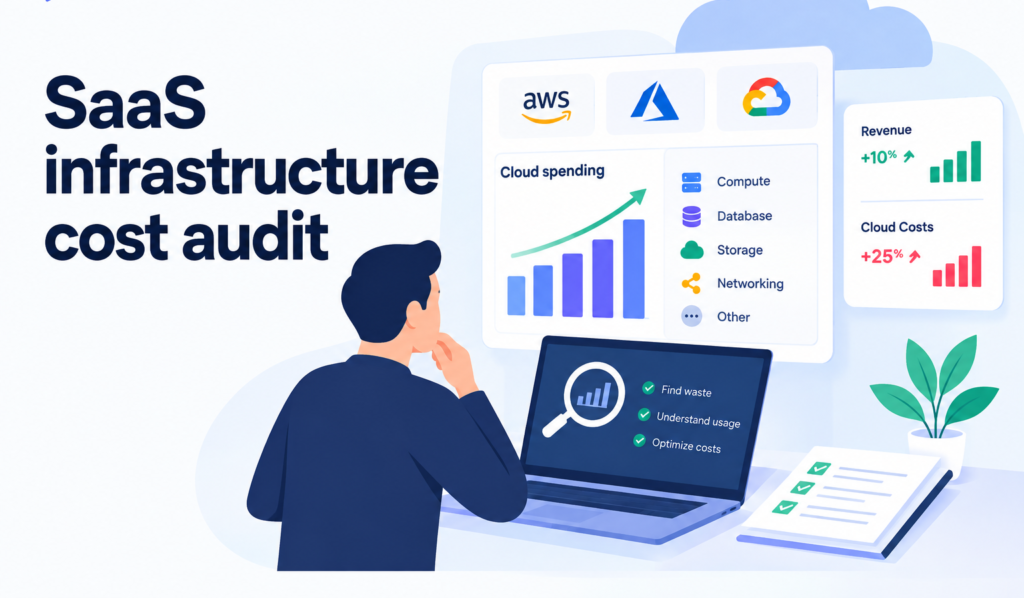
In this guide, we will explain how to audit cloud costs, which warning signs to investigate first, and how to build a practical 30-day optimization plan.
Why Are Cloud Costs Growing Faster Than SaaS Revenue?
Cloud infrastructure costs do not automatically increase in proportion to revenue.
A SaaS company might add customers without increasing infrastructure costs significantly if its architecture uses resources efficiently. Another company might see its cloud bill rise sharply after adding relatively few customers because each new account creates additional database load, background processing, storage, or API requests.
Several factors can explain the difference.
1. Your architecture was designed for an earlier stage
Many SaaS products begin with a simple architecture. A small application server, a database, and a few supporting services may be enough for the first customers.
As the product grows, teams add integrations, background jobs, analytics, caching layers, monitoring tools, and additional services. Each change may solve a legitimate problem, but the overall architecture can become more expensive than expected.
For example, an application might run several compute instances because of a temporary traffic spike. If those instances remain active after demand returns to normal, the company continues paying for capacity it no longer needs.
The problem is not that the architecture has evolved. The problem is that infrastructure decisions are not being reviewed as the product changes.
2. Customer usage is increasing, but cost per customer is not being measured
Revenue growth can hide inefficient resource consumption.
Imagine your SaaS product adds 200 customers in a quarter. Revenue increases, but the cloud bill rises even faster. Without a cost-per-customer metric, it is difficult to determine whether the increase comes from healthy product usage, an inefficient workload, or unnecessary infrastructure.
The FinOps Foundation recommends connecting technology spending with business measures such as cost per customer, cost per transaction, or cost to serve. These measures help teams evaluate the value generated by infrastructure spending rather than viewing the invoice in isolation.
Source: FinOps Foundation guide to cloud unit economics.
3. Nobody owns the full cloud bill
Engineering teams often own individual services. Finance owns budgets. Product teams decide which features to build. But the total cost of running a feature may sit between all three groups.
A developer might choose a convenient managed service without knowing its long-term cost. A product manager might introduce a data-heavy feature without understanding its infrastructure impact. Finance might notice the increase only after the invoice arrives.
This does not necessarily mean anyone made a bad decision. It means the company lacks a shared process for understanding and managing cloud costs.
4. Temporary infrastructure becomes permanent
Development, testing, staging, preview, and production environments all consume resources.
During a launch or migration, teams may create temporary databases, extra servers, snapshots, test clusters, and duplicated data. If nobody owns their cleanup, these resources can remain active long after the original work is finished.
Small amounts of waste across many environments can become a meaningful recurring expense.
5. More traffic is exposing inefficient application code
Sometimes the infrastructure is not oversized. The application is simply doing too much work.
A slow database query may require additional compute capacity. An inefficient API endpoint may trigger repeated requests. A background job may process the same records more often than necessary.
Adding larger servers can temporarily improve performance, but it may also increase spending without fixing the underlying cause.
The important distinction: higher cloud spending is not automatically bad. If costs rise because customers are receiving more value, the increase may be justified. The concern is spending that grows faster than useful output, or spending that could be avoided without sacrificing reliability or performance.
What Should a SaaS Infrastructure Cost Audit Cover?
A useful audit examines five areas: cost visibility, compute, databases and storage, data transfer and observability, and application architecture.
Do not start by shutting down expensive resources. Start by understanding what each resource supports and whether its current configuration matches actual demand.
1. Review Your Cloud Spending Before Changing Anything
Begin with the last three to six months of cloud invoices and usage reports. If your product has seasonal demand or recently experienced a major launch, review a longer period where possible.
Break the total spend into categories such as:
- Compute instances, containers, and serverless execution
- Managed databases and database storage
- Object storage, backups, and snapshots
- Data transfer and content delivery
- Logging, monitoring, and observability
- Managed services, queues, and messaging
- Development, testing, and staging environments
- Third-party cloud-related services and licenses
Then compare spending over time.
Look for services whose costs have increased substantially, new charges that appeared unexpectedly, and categories that remain expensive despite low or stable usage.
For AWS, use the available billing and cost management reports to examine service-level spending, trends, and usage. Similar cost management capabilities exist in Azure and Google Cloud.
The AWS Well-Architected Cost Optimization guidance is a useful reference for evaluating resource use, demand, and cost management practices.
Questions to ask during the review
- Which services account for most of our cloud spending?
- What changed in the months when costs increased?
- Can we connect the increase to new customers, product features, or traffic?
- Which resources have no clear owner?
- Are we paying for duplicate or temporary environments?
- Can we explain the biggest changes in our invoice?
If the team cannot answer these questions, improving cost visibility should come before aggressive optimization.
2. Audit Compute Resources for Unused or Oversized Capacity
Compute is often one of the first places worth investigating, but not every expensive server is wasteful.
A production service may need spare capacity to handle traffic spikes, deployment events, or failures. A resource with low average CPU usage might still be important for latency-sensitive workloads.
The right question is not simply whether a server looks busy. It is whether its configuration is appropriate for the workload it supports.
Review:
Idle resources: Instances, virtual machines, containers, or clusters that are running without a clear operational purpose.
Oversized resources: Instances with consistently low utilization and more capacity than the workload needs.
Autoscaling settings: Services that fail to scale down when demand falls, or scale up too aggressively because thresholds are poorly configured.
Environment schedules: Development and testing environments that remain active overnight or on weekends even when they are not needed.
Container requests and limits: CPU and memory settings that do not reflect actual workload requirements, leading to inefficient scheduling or unnecessary capacity.
Serverless execution: Functions that consume excessive time or memory because of inefficient code, repeated calls, or unsuitable configuration.
Before resizing anything, review CPU and memory trends, traffic patterns, latency, error rates, and workload requirements. Make changes in a controlled way and monitor the results.
A smaller instance is not an improvement if it creates slower requests, failed jobs, or production incidents.
3. Investigate Database Costs and Query Efficiency
Database costs can rise quickly as a SaaS product accumulates customers, records, reporting features, and integrations.
The cause may be storage growth, increased compute requirements, inefficient queries, replication, backups, or a combination of these factors.
Start by examining:
- Database CPU and memory utilization
- Query latency and slow query logs
- Connection counts and connection pool settings
- Storage growth over time
- Index efficiency and unused indexes
- Replication and read-replica utilization
- Backup retention and snapshot storage
- Expensive reporting and analytics queries
- Repeated queries that could use caching
For example, suppose a dashboard loads ten separate database queries every time a user opens it. As the number of users increases, the database handles more work even though the underlying information has not changed.
Optimizing the queries, introducing appropriate caching, or reducing unnecessary requests may help more than upgrading the database instance.
Storage also deserves attention. Old records, duplicated files, and backups retained longer than necessary can increase costs. However, retention policies must account for product requirements, recovery objectives, contractual commitments, and applicable legal obligations.
Do not delete data simply because it is old. Determine what must be retained, what can be archived, and what can safely be removed.
4. Check Data Transfer, Logging, and Monitoring Costs
These costs can be easy to overlook because they are less visible than compute or database capacity.
Data transfer
Review traffic moving between availability zones, regions, cloud services, and external destinations. Depending on the architecture and provider, data transfer can contribute materially to the monthly bill.
Investigate whether services communicate across regions unnecessarily, whether large files are repeatedly downloaded, and whether static assets are delivered efficiently.
Caching and content delivery networks can help in the right circumstances, but they should be evaluated against traffic patterns, cache invalidation requirements, and the actual cost structure.
Logs and observability
Logs, metrics, traces, and monitoring data are essential for diagnosing incidents and understanding production behavior. The goal is not to eliminate observability. It is to avoid collecting and retaining more data than the team needs.
Review:
- Debug logs generated continuously in production
- Duplicate events sent to multiple monitoring systems
- High-volume logs with little operational value
- Trace sampling settings
- Retention policies for different log types
- Monitoring tools that overlap in functionality
Keep security-relevant events and the information needed for incident investigation. Reduce unnecessary noise rather than removing visibility into production.
Managed services and supporting tools
Check whether the team is paying for multiple tools that provide overlapping capabilities, unused service tiers, or resources that were created during earlier experiments.
A small amount of recurring waste may look insignificant on its own. Across several tools and environments, it can become worth addressing.
5. Find the Application-Level Problems Behind Infrastructure Spend
A cloud bill shows where money was charged. It does not always explain why the application consumed those resources.
That distinction matters.
If a workload is inefficient, changing the instance size may only move the problem. The application might continue generating excessive requests, processing duplicate work, or querying the database inefficiently.
Review high-cost workflows and ask:
- Which product features generate the most compute or database activity?
- Are background jobs processing records more frequently than necessary?
- Are retries creating additional load during failures?
- Do API endpoints perform repeated work?
- Are expensive operations being triggered by every user action?
- Could caching reduce repeated computation or data retrieval?
- Are tenants with unusually heavy usage affecting shared resources?
For multi-tenant SaaS products, this last point is particularly important. A small number of high-usage customers may consume a disproportionate share of infrastructure capacity.
That does not mean those customers are unprofitable or should be restricted automatically. It means the business should understand their usage patterns, pricing arrangements, and support requirements.
Sometimes the answer is technical optimization. Sometimes it is a product packaging or pricing decision. Often, it requires both.
The Most Important Metric: Cloud Cost Per Unit of Business Value
A monthly cloud invoice tells you how much you spent. It does not tell you whether that spending was efficient.
To understand efficiency, connect infrastructure cost to a meaningful unit of business activity.
For a SaaS company, useful metrics may include:
| Metric | What it helps you understand |
|---|---|
| Cloud cost per active customer | Whether the cost of serving each customer is changing |
| Cloud cost per paying account | Whether infrastructure costs align with commercial growth |
| Cloud cost per transaction | How efficiently the system processes customer activity |
| Cloud cost per report or workflow | Whether a specific product capability is expensive to operate |
| Cloud cost per GB processed | Whether data-heavy workloads are becoming more efficient |
| Cloud cost as a percentage of revenue | Whether cloud spending is growing faster than revenue |
| Infrastructure cost by product or tenant | Which services or usage patterns drive spending |
Choose metrics that reflect how your product creates value. A collaboration platform, a data processing service, and an AI SaaS product will not necessarily benefit from the same unit metric.
For example, a company that processes documents may track cloud cost per document successfully processed. A workflow SaaS product might measure cost per completed workflow. A multi-tenant platform may track cost per active tenant alongside cost per paying account.
Where possible, separate direct costs from shared infrastructure costs and document how shared costs are allocated. Otherwise, comparisons between products or customer groups may be misleading.
A simple example
Imagine a SaaS company has the following monthly figures:
| Metric | Month 1 | Month 2 |
|---|---|---|
| Monthly recurring revenue | $100,000 | $110,000 |
| Cloud infrastructure cost | $12,000 | $15,000 |
| Cloud cost as a percentage of revenue | 12% | 13.6% |
Revenue increased by 10%, while cloud spending increased by 25%.
That gap deserves investigation. It does not, by itself, prove that the company is wasting money.
Perhaps Month 2 included a planned migration, a new data-intensive feature, or an increase in customer activity. The company needs to understand what changed before deciding whether the additional spending is justified.
Now suppose the company also tracks cost per completed workflow and discovers that the metric has increased significantly. The team has a more useful starting point for investigating which workloads became less efficient.
The lesson is simple: measure cloud spending against the work your product performs, not only against the size of the invoice.
The FinOps Foundation’s unit economics framework provides additional guidance on connecting technology costs with business outcomes.
A Practical SaaS Infrastructure Cost Audit Checklist
Use this checklist to organize your first review.
Cost visibility
- Review three to six months of cloud spending.
- Identify the largest cost categories and recent increases.
- Assign owners to major services and workloads.
- Separate production, staging, development, and experimental environments.
- Review budgets, forecasts, and unexpected cost changes.
Compute and application performance
- Identify idle or consistently underutilized resources.
- Review autoscaling behavior and environment schedules.
- Compare resource configurations with actual demand.
- Investigate expensive API endpoints and background jobs.
- Review CPU, memory, latency, and error rates before resizing.
Databases and storage
- Identify slow or frequently repeated queries.
- Review database utilization and connection patterns.
- Check storage growth, backups, and retention policies.
- Investigate unused indexes and redundant data where appropriate.
- Evaluate caching opportunities for repeated work.
Data transfer and observability
- Investigate high data transfer charges.
- Review log volume, trace sampling, and retention.
- Identify duplicate monitoring tools or unused subscriptions.
- Confirm that security and incident investigation needs remain covered.
Business alignment
- Calculate at least one relevant cloud cost per unit metric.
- Compare cost trends with customer usage and revenue.
- Identify workloads that consume disproportionate resources.
- Estimate the operational risk of each proposed change.
- Assign an owner and measurement plan to every optimization.
Do not try to fix everything at once. Prioritize findings by likely financial impact, confidence in the diagnosis, implementation effort, and operational risk.
How to Prioritize Cloud Cost Optimization
Not every optimization deserves immediate attention.
A resource may be expensive but essential. Another may cost less but be easy to fix and completely unnecessary.
A practical prioritization model evaluates four factors:
- Potential savings: How much recurring spend could the change reasonably address?
- Confidence: Is there enough evidence to believe the resource is wasteful?
- Effort: How much engineering time, testing, or migration work is required?
- Risk: Could the change affect reliability, security, performance, or recovery?
Use these factors to group work into three categories.
Fix first: Clearly unused resources, abandoned test environments, duplicate tools, and obvious configuration problems with low operational risk.
Investigate next: Expensive database queries, persistent overprovisioning, excessive log volume, and data transfer patterns that need technical analysis.
Plan carefully: Major architecture changes, database migrations, storage redesigns, or changes to capacity supporting critical production workloads.
The objective is to get the most useful improvements without creating avoidable incidents or distracting the engineering team from important product work.
Your 30-Day SaaS Infrastructure Cost Optimization Plan
A focused 30-day review is a practical starting point for many growth-stage SaaS companies. The exact timeline depends on the complexity of the architecture, the quality of available data, and the risk of proposed changes.
Week 1: Establish the baseline
Collect billing and usage data, identify the largest spending categories, and document recent cost changes.
Select one or two unit metrics that connect infrastructure spending to product activity. Assign owners to the main workloads and record current performance and reliability indicators.
Deliverable: A baseline showing where the money goes and which changes deserve investigation.
Week 2: Identify and validate opportunities
Review compute, databases, storage, data transfer, logging, and supporting tools.
For each finding, document the evidence, likely cause, estimated financial impact, engineering effort, and operational risks. Validate recommendations with the people responsible for the affected systems.
Deliverable: A prioritized list of optimization opportunities, not just a list of expensive resources.
Week 3: Implement low-risk improvements
Start with changes that are well understood and easy to reverse.
Depending on the findings, this may include cleaning up unused environments, correcting resource configurations, improving query efficiency, adjusting log retention, or fixing unnecessary repeated processing.
Use appropriate testing and rollout controls. Avoid bundling unrelated changes into one deployment because it becomes harder to identify the cause if something goes wrong.
Deliverable: A record of completed changes and their measured effects.
Week 4: Measure results and establish ownership
Compare spending and usage after the changes with the original baseline. Account for changes in customer activity, traffic, and billing periods.
Review performance, error rates, latency, and reliability alongside cost. A lower invoice is not a successful result if customers experience a degraded service.
Assign ongoing ownership for cost monitoring, forecasting, and reviewing major architecture decisions.
Deliverable: A cost optimization report, a list of verified improvements, and a repeatable review process.
The 30-day plan should create a sustainable operating habit, not a one-time cleanup followed by another year of rising costs.
Common Cloud Cost Optimization Mistakes to Avoid
Cutting infrastructure without understanding demand
Reducing capacity based on average utilization alone can leave a system unable to handle peak traffic. Review workload patterns and service requirements before making changes.
Buying discounts before understanding usage
Reserved capacity, savings plans, committed-use discounts, and similar commercial arrangements can reduce costs when they match predictable demand. They can also create financial commitments for resources the company no longer needs.
First establish a reasonable view of future usage. Then evaluate which purchasing options fit that forecast.
Treating every cost increase as waste
A new feature, growing customer activity, or stronger redundancy may legitimately increase infrastructure spending. The right decision depends on the business value and the resulting unit economics.
Ignoring engineering time
An optimization that saves a small amount each month but requires weeks of risky engineering work may not be worth doing immediately.
Include implementation effort, ongoing maintenance, and risk in the decision.
Optimizing the bill instead of the system
Repeatedly resizing servers while leaving inefficient application behavior untouched can create temporary improvements without addressing the underlying cause.
The best cost improvements often come from understanding the application, architecture, and usage patterns together.
When Should You Bring in Cloud and Architecture Expertise?
Your internal team may be able to resolve straightforward issues using billing reports and cloud-native tools. More complex problems need a broader view of the system.
Consider getting experienced technical input when:
- Cloud spending keeps rising, but the main cost drivers remain unclear.
- Database and application performance problems are causing capacity increases.
- Engineers are spending too much time managing infrastructure instead of delivering product improvements.
- Your architecture has become difficult to scale or change safely.
- Multiple teams use shared infrastructure, but nobody owns cost allocation.
- You are planning a migration, major redesign, or infrastructure commitment.
- Cost reductions must be balanced against demanding reliability or security requirements.
Enlight Lab helps companies review and improve existing systems through software architecture, cloud engineering, DevOps, and senior technical guidance.
Depending on the problem, the right next step may be a targeted infrastructure review, a focused engineering improvement, or a broader architecture assessment. It does not automatically require a migration or a complete rewrite.
Explore Enlight Lab’s DevOps consulting services or learn about AWS consulting to understand how cloud and infrastructure expertise can support your next stage of growth.
Final Thoughts: Make Infrastructure Spending Work for Your Growth
A growing cloud bill does not always mean your infrastructure is inefficient. It does mean you should understand what is driving the increase and whether the additional spending creates enough value for the business.
Start with visibility. Identify the biggest cost drivers. Connect spending to customer activity and product outcomes. Then fix the highest-impact problems without putting reliability at risk.
For SaaS founders, the real goal is not to achieve the smallest possible cloud bill. It is to build a product whose infrastructure can support growth without quietly eroding margins or consuming engineering capacity.
If your cloud bill is growing faster than revenue and your team cannot clearly explain why, it may be time to review the architecture, workload patterns, and engineering decisions behind it.
Book a 30-minute conversation with Dhananjay Goel to discuss your infrastructure challenges, scaling priorities, and the right next step for your SaaS product.