As a business grows, the way work gets done starts changing.
A process that once involved three employees and a shared spreadsheet may now require multiple departments, several approval steps, and information from five different systems.
At first, the team finds ways to manage it. Someone creates another spreadsheet. Another person builds a template. A manager introduces a new approval process. Eventually, employees start relying on a combination of email, messaging apps, spreadsheets, and disconnected tools to keep the business running.
This works until it doesn’t.
Information gets duplicated. Tasks get delayed. Employees spend hours updating records instead of doing meaningful work. Managers struggle to understand what is happening across the business.
At this point, business leaders often start asking the same question:
Should we build software to manage this process?
It is an important question, but there is a mistake many businesses make. They assume that a process should become software simply because it is repetitive, time-consuming, or currently managed manually.
That is not always true.
Some processes are better handled by existing software. Others need automation rather than a completely new application. And some operations should remain human-led because they depend on judgment, creativity, or complex decision-making.
The goal is not to turn every business activity into software.
The goal is to identify the parts of your business where software can improve speed, accuracy, visibility, scalability, or customer experience without introducing unnecessary complexity.
Here is how to make that decision.
1. Start With the Business Problem, Not the Software Idea
One of the most common mistakes businesses make is starting with a technology solution before understanding the actual problem.
A company might decide it needs a custom CRM because its sales team is struggling to manage customer information. Another might want an internal dashboard because managers cannot easily track operational performance.
But the real problem may be something different.
The sales team might have unclear ownership of leads. Managers might be receiving inconsistent reports because departments use different definitions for the same metrics.
Building software without understanding the underlying problem can simply make an inefficient process faster or more complicated.
Before considering development, ask:
- What business activity is causing friction?
- Who is affected by the problem?
- How frequently does it happen?
- What does the problem cost the business?
- Why does the current process fail?
- What would a better outcome look like?
For example, imagine a growing services company where employees manually prepare project status reports every Friday.
The initial solution might be to build a reporting dashboard.
However, after examining the process, the company discovers that project updates are already stored across its project management platform, time-tracking software, and CRM. The actual problem is that these systems do not share information.
A reporting integration may solve the problem without requiring an entirely new application.
This distinction matters because software should solve a business problem, not become another system employees have to maintain.
2. Identify Processes That Create Repeated Operational Work
Repetition is one of the strongest signals that a business process may benefit from software.
When employees perform the same sequence of actions repeatedly, there may be an opportunity to automate some or all of the work.
Look for activities such as:
- Entering the same customer information into multiple systems.
- Preparing recurring invoices or reports.
- Assigning incoming requests to employees.
- Checking documents against standard requirements.
- Updating inventory records.
- Sending routine notifications and reminders.
- Collecting information from customers or suppliers.
- Tracking approvals across departments.
However, repetition alone does not justify building software.
A task performed twice a month may not create enough operational pressure to justify a custom application. A process performed hundreds of times every day might.
Consider a company processing 1,000 customer requests every month.
If employees spend five minutes reviewing and routing each request, that represents approximately 83 hours of work every month.
A workflow system that automatically validates information and routes straightforward requests could reduce that workload.
The business impact is not limited to time savings. Employees may also respond faster, reduce manual errors, and spend more time handling requests that genuinely need human attention.
The important question is:
How much recurring effort does this process consume, and what could the business do with that capacity if the process improved?
If the answer is meaningful, the process deserves further evaluation.
3. Look for Processes That Depend Too Much on Individual Employees
Some business processes work only because particular employees know exactly what to do.
They understand which spreadsheet to update, whom to contact for approval, where customer information is stored, and what happens when an unusual situation occurs.
This knowledge is rarely documented properly.
As a result, the business becomes dependent on individuals rather than reliable processes.
This creates operational risk.
If an experienced employee leaves, takes extended leave, or moves to another department, the company may struggle to continue the same work.
Software can help turn repeatable operational knowledge into structured workflows.
For example, imagine a company where every new customer onboarding requires several steps:
- The sales team confirms the contract.
- The finance team verifies payment details.
- Operations creates the customer record.
- The delivery team assigns resources.
- Customer success schedules the initial meeting.
If each department manages its own part independently, important steps can be missed.
A centralized onboarding system could provide:
- A standard onboarding workflow.
- Clear ownership for each task.
- Automatic notifications when an action is required.
- Shared customer information.
- Approval tracking.
- Visibility into onboarding progress.
This does not eliminate the need for experienced employees. It reduces dependence on undocumented knowledge and makes the process more consistent.
A useful signal is when someone regularly says, “Only one person knows how this works.”
That may indicate a process that needs better documentation, clearer ownership, or software support.
4. Identify Where Business Information Is Fragmented
A business can have plenty of software and still struggle with basic operational visibility.
Sales information might live in a CRM. Finance data might sit in accounting software. Customer interactions may be stored in a support platform. Project information could be spread across task management tools and internal spreadsheets.
Each system works independently, but the business struggles to understand the complete picture.
This creates several problems:
- Employees enter the same information more than once.
- Different departments maintain conflicting records.
- Managers spend time collecting data before making decisions.
- Reports become outdated before they are reviewed.
- Important information gets lost between systems.
For example, a SaaS company might use separate systems for sales, subscription management, customer support, and product analytics.
The sales team can see which customers signed up. Finance can see which customers are paying. Support can see who has open issues.
But nobody has a reliable view of the relationship between product usage, payment status, support activity, and customer retention.
The answer may be system integration, a shared data platform, or a custom internal application that brings the right information together.
It does not necessarily mean replacing every existing tool.
Before building anything, map where important business information is created, stored, updated, and consumed.
If employees repeatedly move information between systems just to complete normal work, there may be a strong case for software integration or workflow automation.
5. Prioritize Processes Where Errors Have a Real Business Cost
Not every manual task creates a serious business problem when something goes wrong.
But some processes have consequences that extend far beyond the time required to fix an error.
Examples include:
- Incorrect financial calculations.
- Duplicate customer records.
- Missed contract renewals.
- Incorrect inventory updates.
- Delayed customer orders.
- Incomplete compliance documentation.
- Errors during data migration.
- Incorrect access permissions.
These processes deserve special attention because mistakes can affect revenue, customer trust, compliance, or operational continuity.
Imagine an ecommerce business managing inventory through manually updated spreadsheets.
A product may appear available even after its actual stock has been sold. Customers place orders, but the operations team later discovers that the item is unavailable.
The company now has to communicate with customers, process refunds, and manage avoidable support requests.
A properly integrated inventory management system could update stock levels as orders are processed and provide a more reliable view of available products.
The business case is not simply about reducing manual work. It is about preventing costly errors.
When evaluating a process, consider:
- How often do errors occur?
- How difficult are they to detect?
- What happens when an error reaches a customer?
- How much time does correction require?
- Could software introduce validation or controls before an error occurs?
Processes with frequent, expensive, or difficult-to-detect errors may be strong candidates for automation or custom software.
6. Find the Processes That Are Limiting Business Growth
A process that works for a team of five may not work for a team of fifty.
Many businesses reach a point where their existing operational methods cannot support additional customers, employees, transactions, or locations.
The problem often appears gradually.
Customer support requests increase, but the team still assigns them manually. New employees require more time to understand internal procedures. Managers need additional people just to coordinate routine work.
The business is growing, but its operational capacity is not growing at the same rate.
This is where software can create a significant advantage.
Consider a professional services company that manages 20 active projects.
Its existing project management tools and spreadsheets may be sufficient. Project managers can track deadlines, allocate resources, and communicate with clients without much difficulty.
Now imagine the company grows to 150 active projects.
The same process may become difficult to maintain. Resource conflicts increase, reporting takes longer, and managers struggle to identify delivery risks.
A centralized resource management and project operations platform might help the company manage a larger workload without increasing administrative overhead at the same rate.
The key is to identify processes that are becoming bottlenecks as the business grows.
Ask:
- Will this process still work if transaction volume doubles?
- Does every new customer require proportionally more manual work?
- Are managers spending more time coordinating than improving operations?
- Is the business hiring people mainly to manage administrative complexity?
- Are existing systems reaching practical limitations?
If growth consistently creates more operational friction, the process may need a different software foundation.
7. Understand Which Processes Should Remain Human-Led
This is just as important as identifying opportunities for automation.
Not every business activity should become software.
Some processes rely heavily on context, judgment, negotiation, creativity, or personal relationships.
For example:
- Negotiating an important enterprise contract.
- Resolving a sensitive customer complaint.
- Deciding whether to enter a new market.
- Evaluating a strategic partnership.
- Managing a complex employee situation.
- Making decisions that involve competing business priorities.
Software can support these activities by organizing information, presenting recommendations, or handling routine preparation.
But removing human judgment entirely may create more problems than it solves.
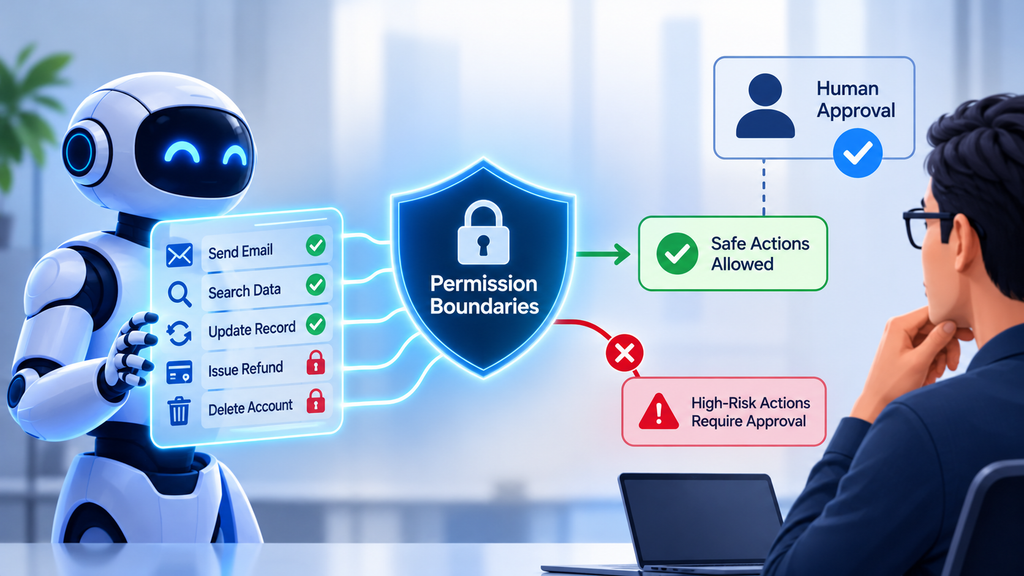
A useful distinction is between automating the work around a decision and automating the decision itself.
For example, a customer support system can categorize incoming tickets, identify priority levels, retrieve relevant customer history, and suggest responses.
But a sensitive complaint involving a major customer may still require an experienced support manager.
Similarly, an AI-powered system may review applications against predefined criteria, but unusual or high-impact cases may need human review.
The best software strategies do not simply minimize human involvement.
They give people better information, remove unnecessary administrative work, and allow employees to focus on decisions where their judgment matters.
8. Decide Whether You Need Existing Software, Automation, Integration, or Custom Development
Once you identify a process worth improving, the next decision is how to improve it.
Building custom software is only one option.
In practice, businesses generally have four approaches to consider.
Option 1: Use an Existing Software Product
If a reliable product already solves the problem, buying or subscribing to it may be the most sensible choice.
Examples include:
- CRM systems for sales management.
- Accounting software for financial operations.
- Project management tools for task coordination.
- HR platforms for employee administration.
- Helpdesk software for customer support.
Existing software can reduce implementation time and avoid the cost of maintaining a custom application.
However, check whether the product supports your actual workflow, integrations, security requirements, and expected growth.
Option 2: Automate the Existing Workflow
Sometimes the process is already well-defined, but employees spend too much time performing routine steps.
Workflow automation can connect existing tools and trigger actions based on specific events.
For example:
- Create a project when a contract is signed.
- Notify finance when an invoice is overdue.
- Assign a support ticket based on its category.
- Send reminders when an approval is pending.
- Update customer records when payment is received.
This can improve efficiency without introducing another large software system.
Option 3: Integrate Your Existing Systems
If information is spread across multiple tools, integration may be more valuable than replacement.
APIs and other integration methods can allow systems to exchange information and trigger workflows.
For example, when a customer completes a purchase, the ecommerce platform could update the CRM, notify the fulfilment system, and send the relevant information to finance.
The goal is to make existing systems work together as part of a connected operation.
Option 4: Build Custom Software
Custom development becomes worth considering when existing products cannot support an important business requirement.
This may happen when:
- Your workflows are specific to your business model.
- Existing products require too many workarounds.
- You need multiple systems to operate through one interface.
- You need functionality that competitors cannot easily replicate.
- Your data, security, or infrastructure requirements are specialized.
- The limitations of current software are creating measurable business costs.
Custom software provides greater control over functionality, architecture, and future development.
However, it also introduces responsibility for development, maintenance, security, infrastructure, and ongoing improvements.
The right decision depends on business value, not the assumption that custom software is always better.
9. Use a Practical Framework to Prioritize Software Opportunities
After identifying potential processes, businesses often face another problem: deciding what to address first.
There may be ten workflows that need improvement, but limited budget, engineering capacity, and management attention.
A simple prioritization framework can help.
Evaluate each process against five factors.
| Evaluation Factor | What to Consider |
|---|---|
| Business impact | How much could improving this process affect revenue, costs, customer experience, or productivity? |
| Frequency | How often does the process occur? |
| Error and risk | What is the financial, operational, or customer impact when something goes wrong? |
| Scalability | Will the current process become a bottleneck as the business grows? |
| Implementation effort | How difficult and expensive would the solution be to build, integrate, and maintain? |
You can score each factor from 1 to 5.
A higher score indicates a stronger opportunity, except for implementation effort, where a higher score means greater complexity.
For an initial assessment, use this formula:
Opportunity Score = Business Impact + Frequency + Risk + Scalability – Implementation Effort
This is a prioritization aid, not a financial forecast or a substitute for technical evaluation.
Consider this hypothetical example:
| Business Process | Impact | Frequency | Risk | Scalability | Effort | Score |
|---|---|---|---|---|---|---|
| Customer onboarding | 5 | 5 | 4 | 5 | 3 | 16 |
| Weekly reporting | 3 | 4 | 2 | 3 | 2 | 10 |
| Contract approval | 4 | 3 | 5 | 4 | 4 | 12 |
| Internal meeting scheduling | 2 | 3 | 1 | 2 | 1 | 7 |
In this example, customer onboarding deserves attention first because it has a strong business impact, happens frequently, and becomes more difficult to manage as the company grows.
Contract approval may also be important because of the risks associated with delays and errors.
Meeting scheduling, on the other hand, may be better handled through an existing tool rather than custom development.
This framework helps move the conversation away from personal preferences and toward business priorities.
10. Calculate the Total Cost of the Problem Before Approving Development
A software project should have a business case.
But many businesses underestimate the cost of their existing processes because they only consider employee time.
The actual cost may include:
- Time spent entering and updating information.
- Time spent correcting mistakes.
- Delays caused by manual approvals.
- Revenue lost through slow customer response.
- Additional hiring required to manage operational work.
- Subscription costs for overlapping tools.
- Management time spent collecting reports.
- Customer dissatisfaction caused by inconsistent processes.
Imagine a hypothetical company where 10 employees each spend 30 minutes per working day handling a repetitive manual process.
That adds up to 25 hours every week, assuming five working days.
Across a year of 50 working weeks, that is approximately 1,250 hours.
This calculation does not mean that software will eliminate all 1,250 hours. Employees may still need to review exceptions, manage unusual situations, and maintain the system.
However, it gives management a starting point for understanding the scale of the problem.
Compare the expected benefits against the full cost of the proposed solution, including:
- Discovery and planning.
- Software development or licensing.
- Integrations and data migration.
- Testing and deployment.
- Employee training.
- Hosting and infrastructure.
- Maintenance and security.
- Future enhancements.
A system that looks inexpensive to build may become expensive to operate if its long-term requirements are ignored.
The objective is not to choose the cheapest option. It is to choose the option with a reasonable total cost and a meaningful business return.
11. Start With One High-Value Process Instead of Rebuilding the Entire Business
Once a business identifies a software opportunity, there is often a temptation to solve everything at once.
A company might want a complete internal platform that handles sales, finance, operations, reporting, inventory, customer support, and employee management.
That approach can introduce unnecessary risk.
Large software projects require extensive requirements gathering, complex integrations, data migration, stakeholder coordination, and testing.
If the business attempts to replace too many processes simultaneously, it may disrupt normal operations before the new system is ready.
A better approach is to start with one high-value process.
For example, a company might begin with customer onboarding.
The first release could include:
- A centralized customer record.
- A structured onboarding checklist.
- Task assignment across departments.
- Automated reminders.
- Progress tracking for managers.
Once the system is being used successfully, the company can identify the next improvement.
This approach provides several advantages:
- Smaller initial investment.
- Faster feedback from employees.
- Easier testing and adoption.
- Lower operational disruption.
- More flexibility to adjust requirements.
- Better understanding of future development needs.
Starting small does not mean thinking small.
It means building a foundation that can evolve as the business learns what it actually needs.
12. Involve Technical Expertise Before Committing to Development
Business leaders understand their operations, customers, and commercial priorities.
But deciding how those processes should become software requires technical judgment as well.
A workflow that looks straightforward from the business side may involve complex data relationships, security requirements, legacy systems, or third-party dependencies.
Before committing to development, it is worth evaluating:
- Whether existing software can solve the problem.
- Whether integration is more practical than replacement.
- How the proposed system will handle business data.
- What security and access controls are necessary.
- Whether the architecture can support future growth.
- How the system will be maintained.
- What happens if a third-party service changes or becomes unavailable.
This is especially important for businesses considering multiple software investments.
Without an overall technology strategy, individual projects can create disconnected systems, duplicated data, and additional maintenance costs.
A technology leader or experienced software development partner can help evaluate the options, define the architecture, estimate the effort, and establish a realistic implementation roadmap.
The objective should be to make the right technology decision before significant development resources are committed.
Common Mistakes to Avoid When Turning Business Processes Into Software
Even when businesses identify the right opportunities, poor decisions during planning can undermine the project.
Watch out for these mistakes:
1. Automating a broken process. If the workflow is inefficient, unclear, or full of unnecessary approvals, automate the improved process rather than reproducing the existing problems.
2. Building software because competitors have it. A competitor’s internal platform does not automatically mean your business needs the same solution.
3. Ignoring employee adoption. A technically successful application can fail if employees find it difficult to use or it adds extra work to their day.
4. Replacing tools without understanding dependencies. Existing systems may support integrations, reporting, or business activities that are not immediately visible.
5. Underestimating maintenance. Software requires ongoing security updates, monitoring, bug fixes, infrastructure management, and improvements.
6. Trying to automate every decision. Human judgment remains important in complex, sensitive, and high-impact situations.
7. Measuring success only by hours saved. Also consider accuracy, customer experience, response times, operational visibility, scalability, and business risk.
Final Thoughts: Build Software Where It Creates a Business Advantage
Every growing business eventually reaches a point where its existing processes, spreadsheets, and disconnected tools become difficult to manage.
But that does not mean every process needs a custom application.
The right starting point is to understand where your business is losing time, money, visibility, or operational control.
Look for repeated work, employee dependencies, fragmented information, expensive errors, and processes that cannot scale with growth.
Then evaluate whether the best solution is existing software, workflow automation, system integration, or custom development.
Most importantly, prioritize the problems that have the greatest impact on your business.
Software should make your business easier to operate, more reliable, and better prepared for growth. It should not create another layer of complexity.
The best technology investments are not necessarily the biggest systems. They are the ones that solve the right problems.
How Enlight Lab Can Help You Identify the Right Software Opportunities
Choosing which parts of your business should become software requires more than identifying repetitive tasks. It requires understanding your operations, evaluating existing technology, and deciding where automation or custom development can deliver measurable value.
At Enlight Lab, we help businesses evaluate technology opportunities and turn operational challenges into practical software solutions.
Our capabilities include:
- Technology Consulting: Evaluate your current systems, identify gaps, and define a technology roadmap.
- Custom Software Development: Build applications around your business workflows and operational requirements.
- Workflow Automation and AI Agents: Reduce repetitive work and improve how information moves across business operations.
- System Integration: Connect existing platforms and reduce disconnected workflows.
- CTO as a Service: Get experienced technical leadership for architecture, technology planning, and development decisions.
If you are considering building software for your business but are unsure where to start, let’s evaluate the opportunities before you invest in development.