Cloud computing is changing again. This change is not small. It is being driven by artificial intelligence. As AI moves from experiments to real business use, the old cloud model is starting to fail.
What we see today is a clear break from the past. AI models are larger. Data is growing faster. Costs are harder to predict. Performance gaps are becoming visible. Teams now face GPU shortages, long training times, and high inference bills. These are signs that Cloud 2.0 has reached its limits.
That’s why we are entering a totally new era: Cloud 3.0, also known as the “Intelligent Cloud”. This is a massive shift in how our digital world works. Instead of just holding your data, the very foundation of the internet now has a brain of its own. It can learn, adapt, and make smart decisions on the fly.
As a result, this new “brain” is transforming what your business can do and how you work every day.
Here at Enlight Lab, we are standing at the very front of this exciting shift. We are dedicated to helping you understand and navigate this brand-new, AI-driven world with total confidence. The best part is we treat Cloud 3.0 as a foundation for the next decade of innovation, not a marketing term.
In this guide, we explain the three eras of cloud, what Cloud 3.0 really is, why your current setup might be holding you back, and what steps forward-thinking organizations are taking to stay ahead.
The Three Eras of Cloud: From Commoditized Hosting to Intelligent Automation
If you think the cloud is just SaaS vendors and hyperscalers renting you VMs, you’re operating on an outdated abstraction. Cloud evolution has always been about what was “good enough” at the time.
Now, we’ve reached a point where AI is pushing the cloud into its next phase.
Cloud 1.0: The “Lift and Shift” Dead End
Cloud 1.0 was like moving your closet into the cloud.
Your data and applications were stored safely, but you still had to manage everything yourself.
Cloud providers introduced Infrastructure as a Service (IaaS), allowing businesses to:
- Launch virtual machines within minutes
- Rent storage and networking on demand
- Scale resources up or down without buying hardware
Instead of managing physical data centers, teams managed virtual infrastructure through cloud platforms.
What it did
Provided on-demand compute, storage, and networking in the cloud.
How it worked
Large data centers hosted virtual machines, letting you run applications without owning physical hardware.
Limitation
You still had to manage servers, operating systems, and scaling manually.
This era’s dead. If you’re still here, you’re paying legacy tax.
Cloud 2.0: Cloud as a Service (But Still Human-Dependent)
Cloud 2.0 pushed things further. Instead of just moving workloads, you redesigned them. This phase brought cloud‑native ideas into the world.
Containers replaced many virtual machines. Microservices replaced large applications. Platforms became programmable.
This era introduced Platform as a Service (PaaS), containers, and serverless computing.
Cloud providers made it easier to:
- Deploy applications without managing servers
- Use containers (like Docker) for consistency across environments
- Automatically scale apps based on demand
- Focus more on code, less on infrastructure
What it did
Ran big apps, turned ideas into tools like Uber or Netflix.
How it worked
Computers in the cloud worked together using programs. Sometimes, people (engineers) had to jump in to fix things.
Limitation
Still needs people watching dashboards, fixing problems when they happen. Teams now had to watch dashboards, manage distributed systems, and fix problems when they happen.
Reality check
Better, but still fundamentally reactive. Human engineers stay in the loop. That’s not scalable as AI eats your software.
Cloud 3.0: Autonomous, AI-Native, and Brutally Efficient
Cloud 3.0 is where the cloud stops being something you manage and starts becoming something that manages itself.
It’s a shift toward AI-native infrastructure that can understand workloads, optimize resources, and make decisions in real time.
Instead of configuring systems manually, you define what you want, and the cloud figures out how to make it happen.
What it does
Acts as an intelligent layer that automatically spots problems, fixes them fast, connects different tools, and helps you make smarter choices.
How it works
Uses AI, automation, and distributed systems to:
- Dynamically allocate compute based on workload needs
- Optimize performance and cost in real time
- Run workloads closer to users through edge computing
- Continuously learn and improve system efficiency
Limitation
Still evolving. Requires new skills, new architectures, and trust in automated systems.
Reality check
This is where the industry is heading.
If Cloud 1.0 was about renting hardware and Cloud 2.0 was about building platforms, Cloud 3.0 is about intelligence running the system for you.
Let’s break down the stack evolution:
| Feature | Cloud 1.0 | Cloud 2.0 | Cloud 3.0 |
| Primary Model | Lift-and-Shift (VMs) | Cloud-Native (Containers, Serverless) | AI-Native (Agentic, Autonomous) |
| Management | Manual provisioning | Infrastructure as Code, Automation | Intent-based Orchestration |
| Hardware Focus | Commodity CPU, traditional | Scalable compute, distributed DBs | Decentralized GPU, AI accelerators |
| Operations | Reactive, manual recovery | Alerting, scripted playbooks | AIOps, Self-Healing |
| Data Processing | Centralized | Distributed, Region-based | Edge intelligence, federated |
Why Do You Need Cloud 3.0?
You need Cloud 3.0 because:
- AI workloads keep getting larger
- You cannot rely on general-purpose compute anymore
- Data movement is too slow and too costly
- GPU scheduling on Cloud 2.0 tools is not efficient
- Elastic scaling does not work well for long AI jobs
If you stay on older cloud designs, you risk higher costs and slower progress. You also limit how far your AI projects can grow.
With the rise of AI, businesses are increasingly relying on cloud computing to power their operations. However, not all cloud infrastructures are created equal. Cloud 3.0 is the latest and most advanced version of cloud computing, specifically designed to support AI applications.
Things to Remember About Cloud 3.0
- Cloud 1.0 stored your stuff. Cloud 2.0 lets you use cool apps. Cloud 3.0 is a “digital brain” that helps you and fixes problems for you.
- AI needs fast, smart roads (infrastructure). If you aren’t using Cloud 3.0, your business will get stuck in traffic.
- With Cloud 3.0, you save time, money, and headaches because your apps help each other and work for you, not the other way around.
The Four Core Pillars of Cloud 3.0 Execution
At its core, Cloud 3.0 is built on four key pillars:
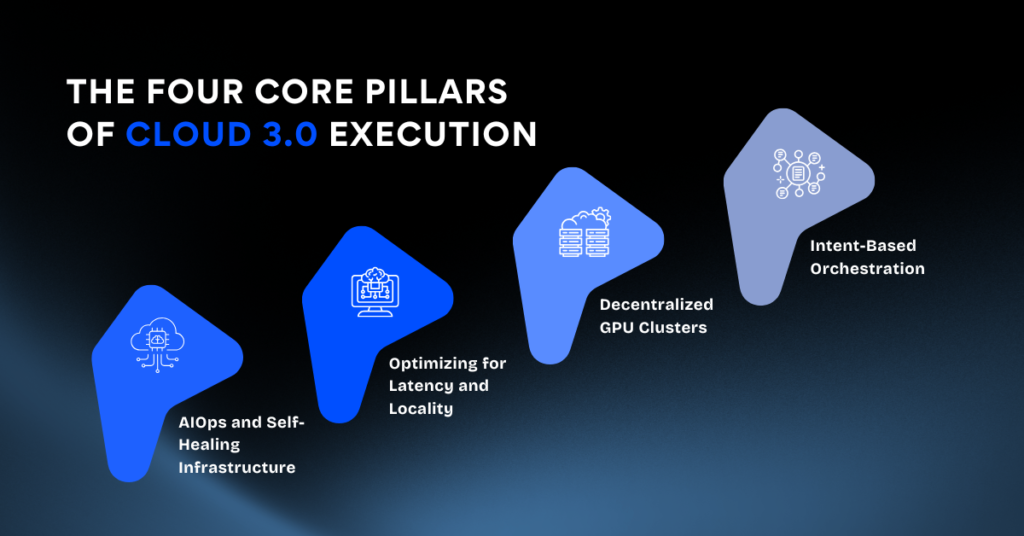
1. AIOps and Self-Healing Infrastructure
Cloud 3.0 introduces AIOps to enable your infrastructure to detect, diagnose, and resolve issues entirely on its own. Machine learning models constantly analyze logs, metrics, and network traffic in real time to spot anomalies before they cause downtime.
When a problem occurs, the system automatically terminates faulty nodes, reroutes traffic to healthy resources, and shifts compute power dynamically. This complete workflow happens instantly, without requiring a single human intervention. Cloud 3.0 replaces reactive firefighting with autonomous, self-healing systems.
Expected impact:
- Outages are minimized to seconds instead of hours
- Ops headcount drastically reduced
- SLAs tough enough to actually mean something
2. Optimizing for Latency and Locality
Running a production AI model for a global enterprise from a single central data center is a recipe for failure. Latency is the delay between a user’s request and the system’s response. When customers and internal teams demand real-time answers, a slow response simply is not good enough.
You must push analytics and decision-making directly to the site of data generation. By deploying micro-data centers in retail stores, factory floors, and medical facilities, you run AI locally. The local system handles the heavy lifting, sending only brief summaries and unique insights back to your central hub for compliance and model training.
Direct results:
- Near-zero latency for mission-critical systems
- Drastic reduction in upstream bandwidth and cloud egress costs
- Regulatory compliance (data sovereignty achieved by design)
You don’t get bonus points for pretty network diagrams. You get results for executing where it matters.
3. Decentralized GPU Clusters
Running AI at scale requires specialized hardware. Next-generation workloads like large language models and multimodal agents consume computing power at terrifying rates. You cannot solve this problem with standard CPUs and wishful thinking.
Instead of warehousing expensive silicon you rarely use full-time, tap into decentralized GPU-as-a-Service networks. You can purchase compute bursts exactly when you need them for peak loads. By tactically allocating your workloads across decentralized pools, you maintain high performance without the massive upfront capital expense.
Outcomes achieved:
- Cost certainty with pay-per-second GPU access
- Avoid single vendor lock-in by federating across networks
- Total flexibility, you can run your models the way you want
The future is fragmentary—those trying to standardize every hardware decision will move more slowly and spend more.
4. Intent-Based Orchestration
You do not achieve business results by writing endless lines of configuration code. Cloud 3.0 replaces manual scripts and templates with intent-based orchestration. You simply declare the business outcome you want, rather than mapping out exactly how the system should achieve it.
For example, you can set a rule to maintain a 200-millisecond response time for customer chatbots during peak hours. The smart orchestration engine automatically decides how to allocate resources, migrate data, and scale hardware to meet that exact goal.
Expected Outcomes:
- Your developers spend time building product features, not babysitting servers.
- The platform tracks intent, risk, and compliance in real time.
- Scale to massive global throughput without needing to hire a massive DevOps team.
Real-World Impact of Cloud 3.0
You may wonder how this digital brain change things for me? Here are three ways Cloud 3.0 is making a difference right now:
1. Smarter Traffic Management
Imagine a city where traffic lights don’t just run on timers but react to live traffic flow. With Cloud 3.0, AI can analyze traffic density and adjust signals in real time, prioritizing busy lanes to reduce congestion. The result? Less waiting at red lights, fewer traffic jams, and a smoother, more efficient commute for everyone.
- Real-world analogy: It’s like having a smart traffic officer at every corner, working at lightning speed.
2. Faster Medical Insights
In healthcare, speed can be critical. With older cloud systems, analyzing a patient’s symptoms against their medical history could be a slow process. Cloud 3.0 enables hospital systems to process this information in seconds, providing doctors with immediate, data-driven advice for faster, more accurate decision-making.
- Real-world analogy: Think of it as a medical assistant with a perfect memory of a patient’s entire health history, available 24/7.
3. Seamless Integrated Applications
How often do your different apps fail to communicate? Your calendar might not sync with your to-do list, or your email doesn’t automatically update with new meetings. Cloud 3.0 acts as a central brain, allowing applications to work together seamlessly and even anticipate your needs, automating tasks you didn’t even ask for.
- Real-world analogy: It’s like having a personal assistant who coordinates between all your digital tools to ensure nothing is missed, and your schedule runs smoothly.
How to Assess and Prepare Your Stack for What’s Next
Your “cloud” checklist is meaningless if it doesn’t serve actual business outcomes. Here’s what execution looks like for today’s operators:
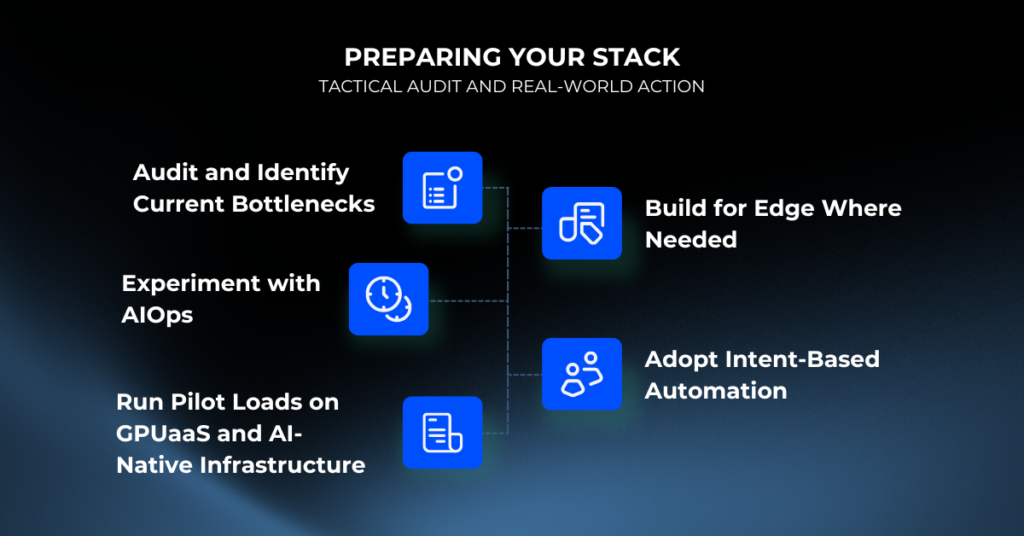
1. Audit and Identify Current Bottlenecks
- Map data and compute flows across departments, products, and regions.
- Measure latency as experienced by users.
- Identify where work routinely waits for resources, human sign-off, or downstream dependencies.
Pro tip: Focus audits on revenue-critical applications and data. The noise can be distracting, but bottlenecks will always reveal themselves if you follow the flow of money and operations.
2. Experiment with AIOps
- Deploy off-the-shelf and open-source AIOps to automate routine monitoring and incident response.
- Run parallel diagnostics: baseline metrics with your humans vs. ML-powered intervention.
- Quantify response times, remediation quality, and incident frequency.
If your incident reviews repeatedly result in “human error,” you don’t have an AIOps problem. You have a leadership/architecture problem.
Enlight Lab helps solve this by designing AI‑native operational architectures and applying AIOps where it delivers real impact. Through deep platform expertise and system‑level thinking, we help you move from reactive firefighting to autonomous, resilient operations.
3. Run Pilot Loads on GPUaaS and AI-Native Infrastructure
- Stand up ephemeral test clusters on GPUaaS providers.
- Run real production data – no sanitized, toy workloads.
- Track performance, cost, and deployment friction.
Don’t trust marketing. Operators test with their own workloads and let numbers tell the story.
4. Build for Edge Where Needed
- Identify latency or compliance-critical workflows.
- Design local inference clusters; deploy to select geographies.
- Monitor in-field performance and escalate successful pilots to full rollouts.
5. Adopt Intent-Based Automation
- Run side-by-side experiments: old-school provisioning vs. intent-based “policy as code” infrastructure.
- Measure resource efficiency and operational lead times.
- Prioritize product and user experience. The infrastructure should map cleanly to what your business is measured on.
Cloud 3.0 Is a Strategic Weapon. Use It.
Cloud 3.0 is not “nice to have.” It is how execution-first teams outcompete the rest of the market. If you’re debating the value, you’ve missed the point. Adoption is how you make your stack a force multiplier instead of an anchor.
Don’t Wait for Perfect Alignment. Move.
- Legacy stacks get slower and more expensive, never the other way around.
- AI workloads aren’t waiting for your change management process.
- The market rewards teams who build, measure, and iterate, not those who analyze to death.
Do Not Outsource Judgment
- Evaluate tech partners’ actual deployments. Ask to see architectures, not PowerPoints.
- Avoid vendors that can’t show real-world latency, security, and cost benchmarks with operator references.
- Look for flexibility: Multi-cloud, GPUaaS, decentralized nodes.
Build for Fragmentation, Not Perfection
- Your infra will move toward heterogeneous hardware, regionally siloed data, and distributed orchestration.
- Attempting to force “one homogenous platform” will waste time and money.
Ready to Lead in Cloud 3.0? Start Building Smarter with Enlight Lab
Cloud 3.0 is already reshaping how modern systems are designed and operated. Forward-thinking teams are adopting AI-driven infrastructure for smarter and more efficient execution.
To stay competitive, you need to rethink how your infrastructure supports speed, intelligence, and adaptability. Cloud 3.0 is no longer a future concept. It is already within reach, and those who evolve early will be better positioned to innovate, scale, and respond to changing demands.
This transition can be smooth with the right strategy and execution. By working with Enlight Lab, you can upgrade to Cloud 3.0 with confidence and move toward an AI‑first infrastructure that simplifies operations. We help you build resilient systems designed to perform reliably as complexity grows.