Your AI model is only as smart as the data you feed it. That’s why the choice of data annotation tools can quietly make or break your project before a single line of training code runs. Yet many founders treat annotation as an afterthought, then wonder why their model accuracy stalls.
According to Cognilytica research, up to 80% of machine learning project time is spent gathering, cleaning, and labeling data. If most of your effort goes into data preparation, the platform you use to label that data deserves serious thought, not a last-minute decision.
This guide walks you through how to choose the actual data annotation tools that fit your project, your team, and your budget. We’ll cover what to annotate, which features matter, the trade-offs between tool types, and how to evaluate vendors without wasting weeks on the wrong fit.
By the end, you’ll have a clear framework to make a confident, data-driven call.
Why Does Data Annotation Matter So Much for AI Success?
Before comparing tools, it helps to understand what you’re actually solving for.
What Is Data Annotation?
Data annotation is the process of labeling raw data, including images, text, audio, and video, to help machine learning models learn and make accurate predictions. A self-driving car model, for example, needs thousands of images where every pedestrian, traffic light, and lane line is marked. Those labels teach the model what to recognize.
Think of it as creating the answer key your AI studies from. No answer key, no learning.
Why Is Quality Data Annotation Crucial for AI Models?
Poor labels lead to poor predictions. It’s that direct. A model trained on inconsistent or inaccurate annotations will confidently make the wrong call in production, which can cost you customers, money, and trust.
High-quality annotation delivers three things:
- Better accuracy: Clean, consistent labels improve how reliably your model performs.
- Faster iteration: Good data reduces the endless retraining cycles that drain engineering time.
- Lower long-term cost: Fixing bad data after launch is far more expensive than getting it right early.
What Role Do Data Annotation Tools Play?
Data annotation tools are the software platforms that help your team label, manage, and scale data annotation.
The right tool transforms a chaotic manual task into a structured, repeatable workflow. It should help you:
- Label data efficiently: Streamline the process of adding labels to images, text, audio, or video.
- Manage quality: Implement review and feedback loops to ensure labels are accurate and consistent.
- Scale the work: Distribute tasks across multiple annotators and manage project progress from a central dashboard.
Choosing the wrong tool can create bottlenecks that slow your entire roadmap.
At Enlight Lab, we build AI systems and data platforms for companies of all sizes. We’ve seen firsthand how the right labeling setup accelerates everything that comes after. Our team has tried every annotation tool in the market, and we’ll share our lessons learned along the way.
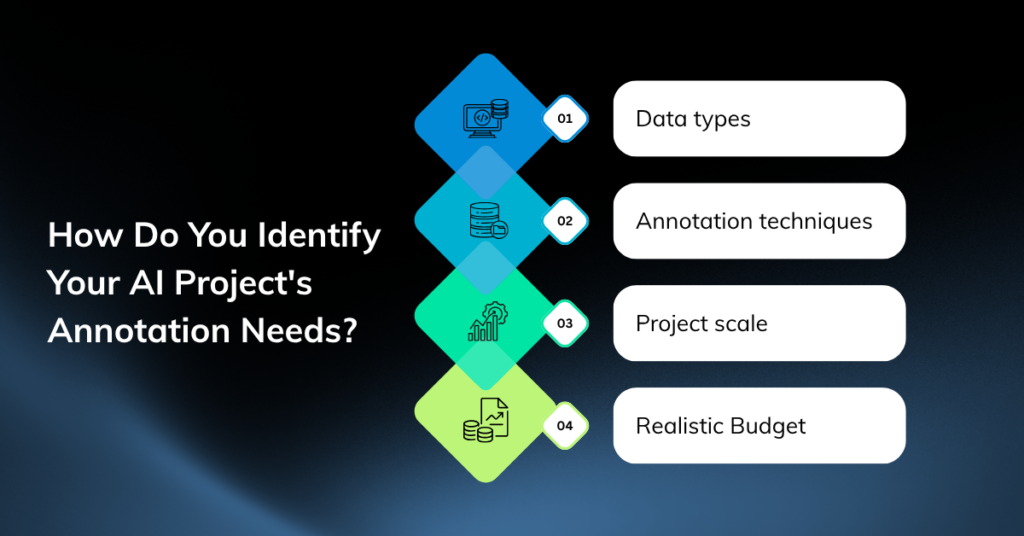
How Do You Identify Your AI Project’s Annotation Needs?
The best data labeling software for a computer vision startup is rarely the best choice for an NLP team. Start by mapping your specific requirements.
Data types
Different data types demand different tools. Be clear on what you’re working with:
- Images: Product photos, medical scans, satellite imagery.
- Text: Customer reviews, chat logs, legal documents.
- Audio: Voice commands, call recordings, podcasts.
- Video: Surveillance footage, sports clips, driving data.
Some platforms handle multiple formats well. Others specialize, such as image annotation tools for machine learning or text labeling tools for NLP. Specialized tools often deliver a smoother experience for their niche.
Annotation techniques
The technique determines how granular and how expensive your labeling will be. Common methods include:
- Bounding boxes: Simple rectangles around objects that are fast and cost-effective.
- Polygons: Precise outlines for irregular shapes.
- Semantic segmentation: Labeling every pixel, used in high-precision tasks like medical imaging.
- Keypoint annotation: Marking specific points, such as facial landmarks or body joints.
- Named entity recognition: Tagging names, dates, and places in text.
More precision means more time and budget. Match the technique to what your model genuinely needs, not what sounds impressive.
Project scale
A weekend prototype with 500 images has very different needs from a production system labeling millions of records monthly. Ask yourself:
- How much data will you label at launch, and in six months?
- How many annotators will work simultaneously?
- Do you need workflow automation to keep quality consistent at volume?
Underestimating scale is a common and costly mistake. Choose a tool that grows with you.
Realistic budget
Budget shapes every decision. Open-source tools cost nothing to license but require engineering time to set up and maintain. Paid platforms charge for convenience, support, and scale. Factor in the hidden costs: infrastructure, training, and the engineering hours your team spends managing the tool instead of building your product.
What Key Features Should You Look for in Data Annotation Tools?
Once you know your needs, evaluate tools against these criteria. This is your data annotation tool selection checklist.
Intuitive Interface
A clunky interface slows annotators and introduces errors. Look for clean navigation, keyboard shortcuts, and a short learning curve. If a new annotator can’t get productive within a day, the tool is working against you.
Annotation Accuracy And Consistency
Quality features separate serious platforms from basic ones. Prioritize tools that offer:
- Consensus scoring across multiple annotators
- Review and approval workflows
- Clear, enforceable labeling guidelines built into the interface
- Audit trails to track who labeled what
Scalability And Collaboration
As your team grows, you’ll need role-based access, task assignment, progress dashboards, and the ability to onboard annotators quickly. A tool that works for two people may collapse under twenty.
ML Workflow Integration
Your annotation tool shouldn’t live on an island. Check for:
- API access for automation
- Native connections to platforms like AWS, Google Cloud, or your MLOps stack
- Export formats compatible with your training pipeline (COCO, YOLO, JSON, and others)
Smooth integration reduces technical debt and keeps your engineers focused on modeling.
Data Security And Privacy
If you handle medical records, financial data, or anything regulated, security is non-negotiable. Look for encryption, access controls, compliance certifications (such as SOC 2 or HIPAA), and on-premise options where data can’t leave your environment.
Flexible Pricing Model
Pricing varies widely and can be based on per-label, per-seat, subscription, or usage-based models. A startup watching every dollar should model out costs at projected volume, not just the sticker price. The cheapest option upfront can become the most expensive at scale.
What Are the Main Types of Data Annotation Tools?
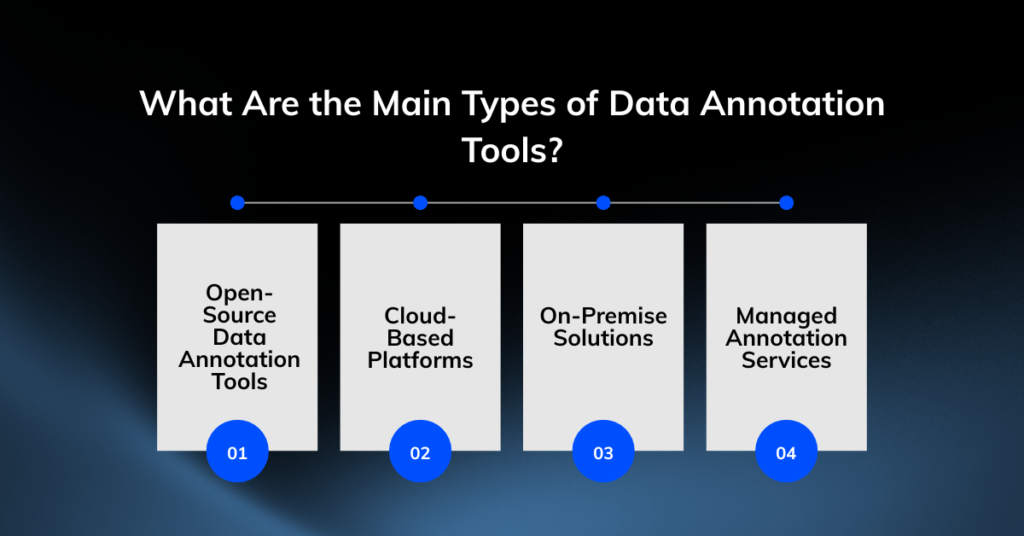
Tools fall into four broad categories, each with clear trade-offs. Here’s how to think about them.
Open-Source Data Annotation Tools
Open-source data annotation tools like CVAT and Label Studio are free to use and highly customizable. They’re a strong fit when budgets are tight and you have technical talent to set them up.
- Pros: No licensing fees, full control, active communities, customizable to your needs.
- Cons: Setup and maintenance fall on your team, limited official support, fewer built-in quality features.
Choose open-source if you have engineering capacity and want maximum control without recurring license costs.
Cloud-Based Platforms
Cloud platforms like Labelbox, V7, and Roboflow offer polished interfaces, built-in collaboration, and AI-assisted features out of the box.
- Pros: Quick to start, scalable, strong support, regular updates, minimal maintenance.
- Cons: Recurring subscription costs, data lives on external servers, less customization.
Choose cloud-based if speed and ease matter more than tight cost control, and your data isn’t subject to strict on-premise rules.
On-Premise Solutions
On-premise tools run entirely within your own infrastructure, keeping sensitive data inside your walls.
- Pros: Maximum data control, easier regulatory compliance, no external data exposure.
- Cons: Higher upfront setup, ongoing infrastructure management, requires dedicated technical resources.
Choose on-premise if you operate in healthcare, finance, or any environment where data cannot leave your servers.
Managed Annotation Services
Sometimes the smartest move is to hand the work to specialists. Managed services provide both the tooling and a trained annotation workforce.
- Pros: No internal labeling burden, expert annotators, fast scaling for large projects.
- Cons: Higher per-label cost, less direct control, you depend on a vendor’s quality standards.
Choose managed services if you need large volumes labeled fast and lack the team to do it in-house. This is where partnering with an AI engineering firm like Enlight Lab can remove the labeling bottleneck entirely, so your team stays focused on the product.
How Do You Evaluate and Select the Right Tool?
You’ve narrowed the field. Now run a disciplined selection process instead of going with the loudest brand.
Define Selection Criteria
List your must-haves and nice-to-haves before you look at any demos. Rank them. Data security might top the list for one team, while annotation speed leads for another. Scoring tools against weighted criteria keeps the decision objective and data-driven.
Always Run A Trial First
Marketing pages promise everything. A hands-on trial reveals the truth. Run a small, real labeling task on each shortlisted tool and watch how your actual annotators respond. Speed, friction, and frustration become obvious fast.
Check Reviews and Case Studies
Look beyond the vendor’s own testimonials. Check independent review sites and case studies from companies similar to yours in size and use case. A tool that excels at autonomous-vehicle data may underwhelm for document processing.
Gauge Vendor Support and Community
When you hit a wall at 11 p.m. before a launch, support matters. For paid tools, test responsiveness during your trial. For open-source, gauge the strength and activity of the community. Strong support reduces downtime and keeps your timeline intact.
What Are the Best Practices for Data Annotation?
The right tool is only half the equation. How you run the process determines your data quality.
Create Clear Annotation Guidelines
Clear instructions prevent inconsistent labels. Develop detailed guidelines with specific examples of right and wrong annotations to avoid most quality issues.
Train And Calibrate Your Annotators
Even experts need alignment. Train annotators on your guidelines, run a test batch, and review it together. This early calibration prevents costly rework.
Implement Robust Quality Control
Build quality checks into your process:
- Spot-check a sample of completed labels.
- Use consensus scoring for critical data.
- Monitor annotator accuracy over time.
- Establish a clear process for correcting errors.
Establish Iterative Feedback Loops
Annotation is a continuous process. Share model performance insights with your annotators. If a model struggles with a certain category, it often signals a labeling issue that needs to be addressed.
What Future Trends in Data Annotation Should You Watch?
The annotation landscape is shifting fast, and the market reflects it. According to Fortune Business Insights, the global data annotation tool market was valued at USD 1.69 billion in 2025 and continues to climb steeply. Here’s where things are heading.
AI-Assisted Data Labeling
AI-assisted data labeling uses models to pre-label data, leaving humans to review and correct rather than start from scratch. Tools built on foundation models like Meta’s Segment Anything Model can dramatically cut annotation time on image data. The result: lower cost and faster turnaround.
Active Learning
Active learning lets the model flag the data points it’s most unsure about, so your annotators focus their effort where it adds the most value. This targeted approach reduces the total volume you need to label, saving both time and money.
Synthetic Data
Synthetic data, artificially generated and pre-labeled, can supplement real data, especially for rare scenarios that are hard to capture. It won’t replace real-world data, but it can fill gaps and shrink your manual labeling burden.
Making the Right Data Annotation Tools Decision with Enlight Lab
Choosing data annotation tools comes down to a clear sequence: understand your data and scale, prioritize the features that matter for your project, weigh the trade-offs between open-source, cloud, on-premise, and managed options, then validate your shortlist through hands-on trials.
Get this right and you build a foundation for accurate models, faster iterations, and lower long-term costs. Get it wrong and you’ll feel the drag across your entire roadmap.
A quick recap of what should guide your decision:
- Match the tool to your data type and annotation technique.
- Plan for scale, not just today’s volume.
- Never skip security and integration checks.
- Always run a real trial before committing.
If the labeling decision feels like a distraction from building your actual product, you don’t have to navigate it alone. Enlight Lab designs and builds production-ready AI systems and data platforms, enabling organizations to turn raw data into models that ship. Talk to our team today to map out the right annotation strategy for your project.