Before launching a vibe-coded product in 2026:
- Keep secrets outside prompts, source code, and repositories.
- Review every AI-generated code change before merging it.
- require authentication and server-side authorization.
- Validate inputs and encode outputs.
- Use parameterized database queries.
- restrict database, API, storage, and AI-tool permissions.
- Run dependency, secret, static-code, and infrastructure scans.
- protect production data and separate environments.
- Test tenant isolation and access controls manually.
- Add logging without exposing sensitive information.
- Create backups, alerts, rollback procedures, and an incident plan.
- Conduct a qualified security review before handling sensitive data.
The safest principle is simple: treat AI-generated code like code submitted by an unfamiliar junior developer. It may be useful and fast, but it must be reviewed, tested, and verified before it is trusted.
Vibe coding has changed who can build software and how quickly an idea can become a working application.
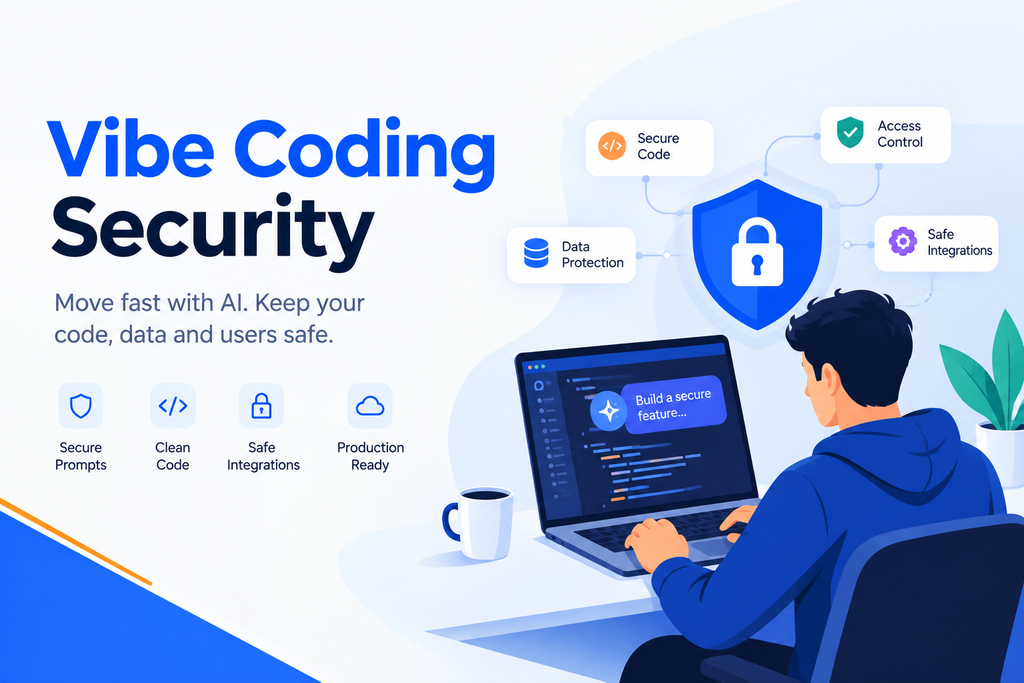
A founder can describe a product in plain English and receive a user interface, database schema, API integration, authentication flow, and deployment configuration within hours. A designer can create an interactive prototype without waiting for an engineering sprint. A developer can use AI to eliminate repetitive work and explore several implementation approaches quickly.
That speed is valuable. It is also easy to misunderstand.
When an AI-generated application works, people naturally assume it has been built correctly. The page loads. Registration succeeds. Data appears in the dashboard. The payment test passes. Nothing visibly looks insecure.
Security failures are usually invisible until someone deliberately searches for them.
A missing authorization check does not affect the normal demonstration. An exposed API key may remain unnoticed until it is abused. An overly permissive database rule feels convenient until one user accesses another user’s records.
The purpose of this vibe coding security checklist for 2026 is not to discourage AI-assisted development. It is to help teams preserve its speed without confusing functional software with production-ready software.
What Is Vibe Coding?
Vibe coding is a conversational, AI-assisted approach to software development. Instead of manually writing every line, a person describes the desired outcome, evaluates the generated result, and repeatedly asks an AI coding system to modify or extend it.
The term often includes workflows where users:
- Generate an application from a prompt.
- Build interfaces from natural-language descriptions.
- Ask AI to connect databases and APIs.
- Debug errors through conversation.
- Add features without understanding every implementation detail.
- Deploy directly through an AI-enabled platform.
Vibe coding exists on a spectrum. An experienced engineer using AI to accelerate routine work is different from a non-technical founder generating and launching an entire application. Both can benefit from AI, but the second scenario creates a larger verification gap.
Is Vibe Coding Secure?
Vibe coding can be secure, but AI-generated code is not secure by default. Security depends on the development process, architecture, configuration, testing, deployment controls, and human oversight surrounding the generated code.
AI coding assistants can reproduce common patterns quickly. Those patterns may be outdated, incomplete, or inappropriate for the application’s risk level. The model may optimize for making the feature work while overlooking abuse cases that were never mentioned in the prompt.
A prompt such as “Add an admin dashboard” may produce a polished dashboard without proving that only administrators can access the underlying endpoints. “Connect the payment provider” may create a checkout flow without validating webhook signatures. “Let users upload documents” may allow unsafe file types or public storage access.
NIST’s Secure Software Development Framework explains that secure development practices must be integrated into the software lifecycle because many development models do not address security in sufficient detail by default. NIST Secure Software Development Framework
Citable takeaway #1
Vibe coding changes how software is produced, not what secure software requires. Authentication, authorization, validation, dependency management, monitoring, and incident readiness remain necessary regardless of who—or what—wrote the code.
The Vibe Coding Security Checklist for 2026
1. Classify the application before building
Security should match the consequences of failure.
A temporary internal prototype using synthetic data does not require the same controls as a healthcare portal, financial application, employee platform, or public SaaS product.
Before generating code, document:
- Who will use the application
- Whether it is public or internal
- What data it collects
- Whether it processes payments
- Whether it handles health, financial, identity, or children’s data
- Whether customers from different organizations share infrastructure
- Which regulations or contractual obligations may apply
- What damage unauthorized access could cause
If the product handles sensitive data or high-impact actions, budget for experienced engineering and security review before launch.
2. Never paste secrets into an AI prompt
Do not paste production credentials, private keys, access tokens, database passwords, signing secrets, patient data, customer exports, or proprietary source code into an AI system unless the service and account are explicitly approved for that information.
Secrets should be stored in:
- Environment variables
- A managed secrets service
- Encrypted deployment settings
- Protected CI/CD variables
Use separate credentials for development, testing, and production. Restrict every credential to the minimum permissions required.
If a secret enters a prompt, chat history, screenshot, commit, or public repository, assume it may have been exposed. Revoke and rotate it rather than merely deleting the visible copy.
3. Review generated code before accepting it
AI coding tools encourage users to approve large changes quickly. That convenience can hide unsafe logic.
Review each change for:
- Files added or modified
- New dependencies
- Authentication changes
- Database migrations
- Public routes
- Storage permissions
- Environment configuration
- Network requests
- Logging behaviour
- Error handling
Reject unexplained code. If you cannot understand a security-sensitive section, ask the tool to explain it, consult the relevant documentation, and obtain human review.
The final responsibility for merged code belongs to the team deploying it, not the model that generated it.
4. Separate authentication from authorization
Authentication answers, “Who is this user?” Authorization answers, “What may this user access or change?”
A user being logged in does not mean they should be able to access every record.
Enforce authorization on the server for every protected action. Do not rely on hidden buttons, disabled menu items, URL structure, or frontend route guards.
Test whether:
- A normal user can open an administrator endpoint
- One customer can access another customer’s data
- Changing an ID in a request reveals another record
- A suspended account can still use old sessions
- A user can assign themselves a privileged role
- An unauthenticated request can call backend functions directly
Role and ownership checks must happen where the action is executed.
5. Apply least privilege everywhere
AI-generated integrations often request broad permissions because broad access makes development easier.
Reduce permissions for:
- Database accounts
- Cloud service roles
- Storage buckets
- API tokens
- Service accounts
- CI/CD systems
- AI agents
- Third-party integrations
- Administrative dashboards
An application that only reads product inventory should not have permission to delete the database. An AI support agent that retrieves order status should not be able to issue unrestricted refunds.
Narrow permissions reduce the impact of bugs, compromised accounts, prompt injection, and leaked credentials.
6. Validate every input
Anything provided by a user, browser, uploaded file, webhook, API, model, or external service should be treated as untrusted.
Validate:
- Data type
- Length
- Format
- Allowed values
- File type
- File size
- Record ownership
- Business rules
- Destination URLs
Validation should occur on the server even when the interface already validates the field.
Use parameterized queries or a safe object-relational mapper for database operations. Encode outputs appropriately before rendering them. Avoid dynamically executing generated strings as code or commands.
7. Protect APIs and server functions
A polished frontend can hide an unsecured backend.
For every endpoint, define:
- Who may call it
- Which records they may access
- What rate limits apply
- Which inputs are allowed
- What should be logged
- What errors can be returned
- Whether the action requires confirmation
- Whether it should be idempotent
Do not place privileged API calls entirely in browser code. Avoid exposing internal error details, database structures, secrets, or stack traces to users.
Use secure defaults for cross-origin resource sharing rather than allowing every origin.
8. Secure the database and tenant boundaries
Multi-tenant applications deserve special attention. A single missing filter can expose one customer’s data to another.
Enforce tenant separation at multiple layers:
- Authenticated identity
- Server-side authorization
- Database queries
- Row-level security where appropriate
- Storage paths
- Cache keys
- Search indexes
- Background jobs
- Exports and analytics
Test tenant isolation manually by creating accounts in different organizations and attempting to cross those boundaries.
Do not rely only on the AI tool’s claim that row-level security is configured. Inspect and test the actual policies.
9. Manage dependencies deliberately
Generated code may introduce packages without explaining why they are needed. Every dependency expands the software supply chain.
Before accepting a package:
- Confirm its official source
- Check whether it is actively maintained
- Review its licence
- Look for known vulnerabilities
- Avoid suspiciously named packages
- Pin versions using lock files
- Remove unused libraries
- Enable automated update alerts
Run software composition analysis in the development and deployment pipeline. Review major upgrades before automatic merging because a secure update can still break application behaviour.
The NIST Secure Software Development Framework recommends protecting software components and integrating security throughout development rather than treating it as a final inspection.
10. Scan for exposed secrets
Automated secret scanning should run:
- Before a commit
- During pull-request checks
- In the central repository
- During CI/CD
- Across deployment configuration
- Periodically across project history
Scan for cloud keys, database credentials, private certificates, webhook secrets, OAuth credentials, and access tokens.
Remember that removing a secret in a later commit does not remove it from repository history. Rotate the exposed credential and clean the history where necessary.
11. Add automated security checks
A practical minimum pipeline should include:
- Static application security testing
- Dependency vulnerability scanning
- Secret detection
- Infrastructure configuration scanning
- Container scanning when containers are used
- Tests for authentication and authorization
- Basic dynamic security testing
- Linting and type checking
Automated tools do not prove that an application is secure. They do catch common mistakes early and consistently.
NIST’s SSDF organizes secure development around preparing the organization, protecting software, producing well-secured software, and responding to vulnerabilities. These outcomes remain relevant even when AI generates most of the initial code.
12. Defend AI features against prompt injection
Applications containing chatbots, agents, retrieval systems, or model-connected tools introduce another attack surface.
Prompt injection occurs when malicious instructions cause a model to behave in unintended ways. OWASP identifies prompt injection as a leading security risk for large language model applications. OWASP: Prompt Injection
Treat model output as untrusted. Do not allow a model to directly execute unrestricted commands.
Use:
- Strict tool permissions
- Structured inputs and outputs
- Allowlists for actions
- Confirmation for sensitive operations
- Server-side validation
- Output encoding
- Sandboxed execution
- Human approval for high-impact actions
Assume that text retrieved from documents, websites, emails, or databases may contain malicious instructions.
Citable takeaway #2
An AI agent should never receive more authority than the application can safely recover from. Limit its tools, validate every requested action, and require human approval when a mistake could move money, delete data, expose records, or contact customers.
13. Protect uploads and generated files
File-upload features require controls for size, format, storage, and access.
Do not trust the file extension alone. Generate safe filenames, prevent executable uploads, scan files where appropriate, and store them outside publicly executable directories.
Make private files private by default. Use short-lived signed links instead of permanent public URLs for sensitive documents.
Generated PDFs, exports, reports, and spreadsheets also require authorization. Confirm that a user cannot change an export identifier and download another customer’s information.
14. Use secure session and account recovery controls
Configure cookies with appropriate Secure, HttpOnly, and SameSite settings. Expire sessions, rotate tokens after important account changes, and invalidate access when a user is disabled.
Protect password reset and email-change workflows. Do not reveal whether an account exists. Use short-lived, single-use recovery links and notify users about sensitive changes.
Offer multifactor authentication, particularly for administrators and users who access sensitive information.
15. Separate development, staging, and production
Do not use one database, credential set, or storage bucket for every environment.
Production data should not be copied into test systems without an approved protection process. Prefer synthetic or properly de-identified records.
Restrict production access. Record administrative activity. Require additional review for database migrations, infrastructure changes, and destructive actions.
A staging environment should resemble production closely enough to reveal configuration problems without exposing production data.
16. Minimize collected and retained data
The easiest sensitive record to protect is one you never collected.
For every field, ask:
- Is this information necessary?
- How long must it be retained?
- Who needs access?
- Can it be deleted automatically?
- Can a less sensitive value achieve the same goal?
Create retention schedules for accounts, uploads, logs, backups, analytics, and support records.
Avoid sending confidential content to advertising or analytics services. Review browser trackers carefully because they may collect page URLs, form data, identifiers, or user behaviour.
17. Log security events without leaking data
Useful logs help teams investigate failures and attacks. Unsafe logs create another sensitive database.
Record:
- Authentication events
- Permission failures
- Administrative actions
- Important configuration changes
- Data exports
- Suspicious request patterns
- Security-control failures
Avoid logging passwords, tokens, full payment data, private documents, or unnecessary personal information.
Protect logs against unauthorized changes, define retention periods, and create alerts for meaningful events instead of collecting data nobody reviews.
18. Prepare backups and recovery
Backups should be encrypted, access-controlled, monitored, and tested.
Confirm that the team can restore:
- The database
- User-uploaded files
- Configuration
- Secrets
- Infrastructure definitions
- Critical application versions
A backup that has never been restored is only an assumption.
Define recovery objectives and document who can initiate restoration. Protect backup credentials separately from primary production credentials so one compromised account cannot destroy both.
19. Design safe failure and rollback behaviour
AI-generated features may appear stable during limited testing and fail under production traffic, unusual inputs, or third-party outages.
Prepare for:
- Broken deployments
- Database migration failures
- Payment-provider outages
- Model-provider outages
- Unexpected usage spikes
- Compromised credentials
- Incorrect AI actions
- Data corruption
Use version control, reviewed migrations, deployment health checks, feature flags, and rollback procedures.
Do not deploy a generated change directly to production because the local preview worked.
20. Test the complete application before launch
Functional testing asks whether the feature works. Security testing asks how it can be misused.
Test:
- Unauthenticated access
- Privilege escalation
- Cross-tenant data access
- ID manipulation
- Malicious inputs
- Unsafe uploads
- Rate-limit bypass
- Session reuse
- Webhook forgery
- Prompt injection
- Error-message leakage
- Excessive data exposure
For sensitive or commercially important systems, arrange an independent security assessment or penetration test. AI self-review can support a human reviewer, but it should not be the only reviewer of AI-generated code.
A successful demo proves that the intended path works. A security review tests whether unintended paths also work and whether an attacker can reach data or actions that ordinary users should never access.
Risk-Based Release Table
| Product type | Minimum release expectation |
| Personal prototype with synthetic data | Secret hygiene, basic access control, dependency review |
| Internal low-risk tool | Authentication, authorization, logging, backups, restricted access |
| Public marketing application | Input validation, abuse prevention, patching, monitoring |
| Customer SaaS product | Tenant isolation, secure CI/CD, recovery testing, independent review |
| Payment-enabled application | Provider-approved integration, webhook verification, strict authorization |
| Healthcare or financial product | Specialist security, privacy, legal, and compliance review |
| AI agent with system access | Restricted tools, validation, monitoring, confirmation, kill switch |
Build Fast, Verify Before You Trust
Vibe coding is not the problem. Unreviewed deployment is.
AI can make software creation dramatically faster, but it cannot accept accountability for exposed customer data, unauthorized payments, broken tenant boundaries, or an unavailable production service.
The responsible approach is not to slow every idea with enterprise-level process. It is to apply controls in proportion to risk and increase verification as the product moves from prototype to production.
Classify the application. Protect secrets. restrict permissions. Review generated changes. Test access boundaries. Scan continuously. Monitor production. Prepare recovery. Bring in specialists when the consequences justify it.
At Enlight Lab, we help businesses turn rapid AI-assisted prototypes into secure, scalable software through architecture review, application modernization, DevSecOps, cloud engineering, AI integration, and CTO-level technical guidance.
Built something quickly with AI and unsure whether it is ready for real users? Let’s review the architecture, security boundaries, integrations, and production risks before launch.